Line Sensors
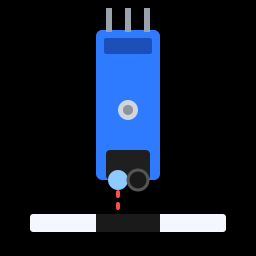
A line sensor tells the robot whether it's over a dark line or a light floor. Two of them, side by side under the front of the robot, are all it takes to follow a track of black tape. You'll try them out on the desk first, before they go on the robot.
You'll need:
- 2 × TCRT5000 line-tracking modules
- Female-to-male jumper wires
- A piece of white paper and some black electrical tape (or a thick black marker)
How it works
Look at the underside of a TCRT5000 module. There are two little "eyes" side by side:
- An infrared LED, which shines invisible infrared light downwards.
- A phototransistor, which measures how much of that light bounces back.
White and light surfaces reflect lots of infrared light. Black surfaces absorb it. A small comparator chip on the module compares the reflected light to a threshold and sets the DO (digital output) pin to either 1 or 0. It's a digital input, just like a button.
See the invisible
Point your phone's camera at the sensor's LED. Many phone cameras can see infrared, so you'll see it glowing faintly purple.
The module also has a small indicator LED on top that lights up when the sensor sees a reflection, and a blue potentiometer that sets the threshold (the sensitivity).
Hardware
| Module pin | Connects to |
|---|---|
| VCC | ESP32 3V3 |
| GND | ESP32 GND |
| DO (left sensor) | ESP32 GPIO 34 |
| DO (right sensor) | ESP32 GPIO 35 |
| AO (if there is one) | Not used |
Power the modules from 3V3, not VIN, so that their output never goes above 3.3 V.
Input-only pins
GPIO 34 and 35 are input-only pins with no internal pull-up resistors. That's fine here, because the module drives the DO pin itself.
Software
# Print what the two line sensors see
import time
from machine import Pin

LEFT_SENSOR_PIN = 34
RIGHT_SENSOR_PIN = 35

# The value a sensor gives when it's over the black line. Most TCRT5000
# modules give 1 over black; if yours is the other way round, change to 0.
LINE_IS = 1

left_sensor = Pin(LEFT_SENSOR_PIN, Pin.IN)    # the module has its own
right_sensor = Pin(RIGHT_SENSOR_PIN, Pin.IN)  # pull-up resistor


def describe(sensor):
    if sensor.value() == LINE_IS:
        return "LINE "
    return "floor"


while True:
    print("Left:", describe(left_sensor), "  Right:", describe(right_sensor))
    time.sleep_ms(200)
Run it and hold each sensor about 5–10 mm above the white paper, then
over the black tape. The printout should change between floor and LINE.
Which way round?
On most TCRT5000 modules:
| Surface | Reflection | Indicator LED | DO |
|---|---|---|---|
| White floor | Lots | On | 0 |
| Black line | Hardly any | Off | 1 |
That's why the code has LINE_IS = 1. If your modules work the other way
round (the printout says LINE over the white paper), change it to
LINE_IS = 0. Every robot program uses this same setting.
Adjusting the sensitivity
If the sensor always says the same thing, adjust its potentiometer with a small screwdriver:
- Hold the sensor over the white paper at the height it will be on the robot.
- Turn the potentiometer until the indicator LED just switches on.
- Move it over the black tape. The LED should go off. If it doesn't, turn the potentiometer back a little and try again.
Sunlight confuses them
Sunlight contains lots of infrared, which can swamp the sensor. Line following works best indoors, away from bright windows.
Challenge
Make the ESP32's built-in LED (GPIO 2) light up only when both sensors are over the line at once, like when the robot crosses a finish line made of a strip of tape across the track.
Show a solution
Next up: time to put it all together. Build the Robot.