What You Need
The board
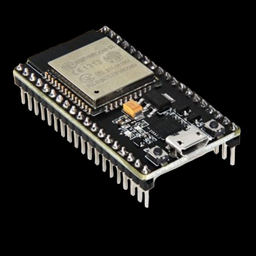
This guide uses an ESP32 DevKit board: the common kind with an ESP32-WROOM-32 module (the silver rectangle) and 30 or 38 pins. They're sold under many names ("ESP32 DevKitC", "ESP32-WROOM-32 development board", "NodeMCU-32S") and cost a few dollars each.
Other ESP32 boards
Newer chips such as the ESP32-S3 and ESP32-C3 also run MicroPython, but their pin numbers are different, so the wiring in this guide won't match. If you're buying a board, get a classic ESP32-WROOM-32 DevKit.
You'll also need a USB cable that can carry data. Many cheap cables only carry power. If your computer doesn't notice the board when you plug it in, try another cable first. Check whether your board has a micro-USB or USB-C socket.
The parts
The parts come in three groups, so you can start small and add more as you go.
Starter parts
Everything you need for the first eight component lessons and the original projects.
| Part | Qty | Used in |
|---|---|---|
| ESP32 DevKit board | 1 | Everything |
| Solderless breadboard (830-hole) | 2 | Everything |
| Jumper wires (male-to-male) | ~30 | Everything |
| 5 mm LEDs | 2+ | LEDs, Motion Alert |
| 220 Ω or 330 Ω resistors | 5+ | LEDs, RGB LEDs, Motion Alert |
| 6 mm tactile push buttons | 3 | Buttons and most projects |
| 10 kΩ potentiometers | 2 | Potentiometers, Music Machine, Servo Controller, Etch-a-Sketch |
| Passive piezo buzzer | 1 | Buzzers, Music Machine, Alarm Clock, and more |
| SG90 micro servo motor | 1 | Servos, Servo Controller, Fortune Teller, Sonar Radar |
| SSD1306 0.96" OLED screen, 128×64, I2C (4 pins) | 1 | OLED, Etch-a-Sketch, Snake, Alarm Clock, and more |
| HC-SR501 PIR motion sensor | 1 | Motion Sensors, Motion Alert |
| A Wi-Fi network (2.4 GHz) | – | Wi-Fi, Motion Alert, Alarm Clock, Weather Station |
Sensors & lights
Add these for the second set of lessons and their projects.
| Part | Qty | Used in |
|---|---|---|
| RGB LED, 5 mm, common cathode | 1 | RGB LEDs, Parking Sensor |
| Photoresistor (LDR, e.g. GL5528) | 1 | Light Sensors, Light Theremin, Night Light |
| 10 kΩ resistors | 2+ | Light Sensors |
| 1 kΩ and 2 kΩ resistors | 1 each | Only for a 5 V ultrasonic sensor |
| DHT11 temperature & humidity module (3-pin) | 1 | Temperature & Humidity, Weather Station |
| WS2812B NeoPixel ring or stick, 8 LEDs | 1 | NeoPixels, Night Light, Touch Piano |
| HC-SR04P ultrasonic distance sensor (3.3 V version) | 1 | Ultrasonic Sensors, Parking Sensor, Sonar Radar, Robot |
| Aluminium foil, coins or fruit | – | Touch Sensors, Touch Piano |
Robot parts
Everything extra you need to build the two-wheeled robot. The robot's overview page explains each part.
| Part | Qty |
|---|---|
| 2WD robot car chassis kit (2 TT gear motors, wheels, caster, 4×AA holder with switch) | 1 |
| DRV8833 dual motor driver module | 1 |
| TCRT5000 line-tracking sensor modules | 2 |
| Half-size breadboard | 1 |
| Jumper wires (male-to-female) | ~10 |
| AA batteries (rechargeable NiMH are fine) | 4 |
| Small USB power bank and a short USB cable | 1 |
Buzzer: passive, not active
Piezo buzzers come in two types. A passive buzzer can play any note, which is what you want. An active buzzer can only beep at one pitch. They look almost identical, so check the listing when you buy.
Setting up the breadboard
A breadboard lets you build circuits without soldering. Inside, the holes are connected in rows: each numbered row of 5 holes (a–e, and f–j) is joined together, and the long + and – rails along the edges run the whole length of the board.
Press the ESP32 into the breadboard so that it straddles the centre channel and the USB port hangs off one end. Be gentle: push evenly on both edges of the board, not on the silver module.
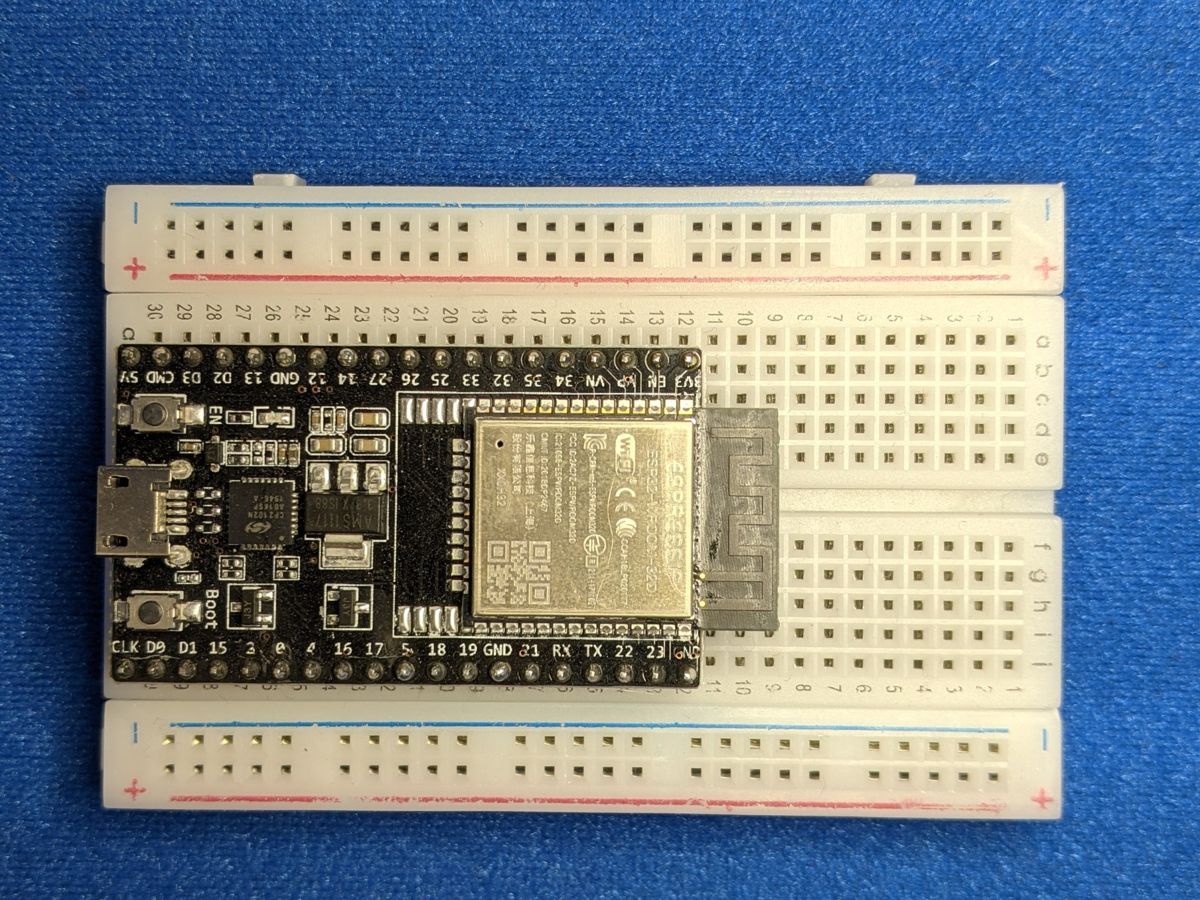
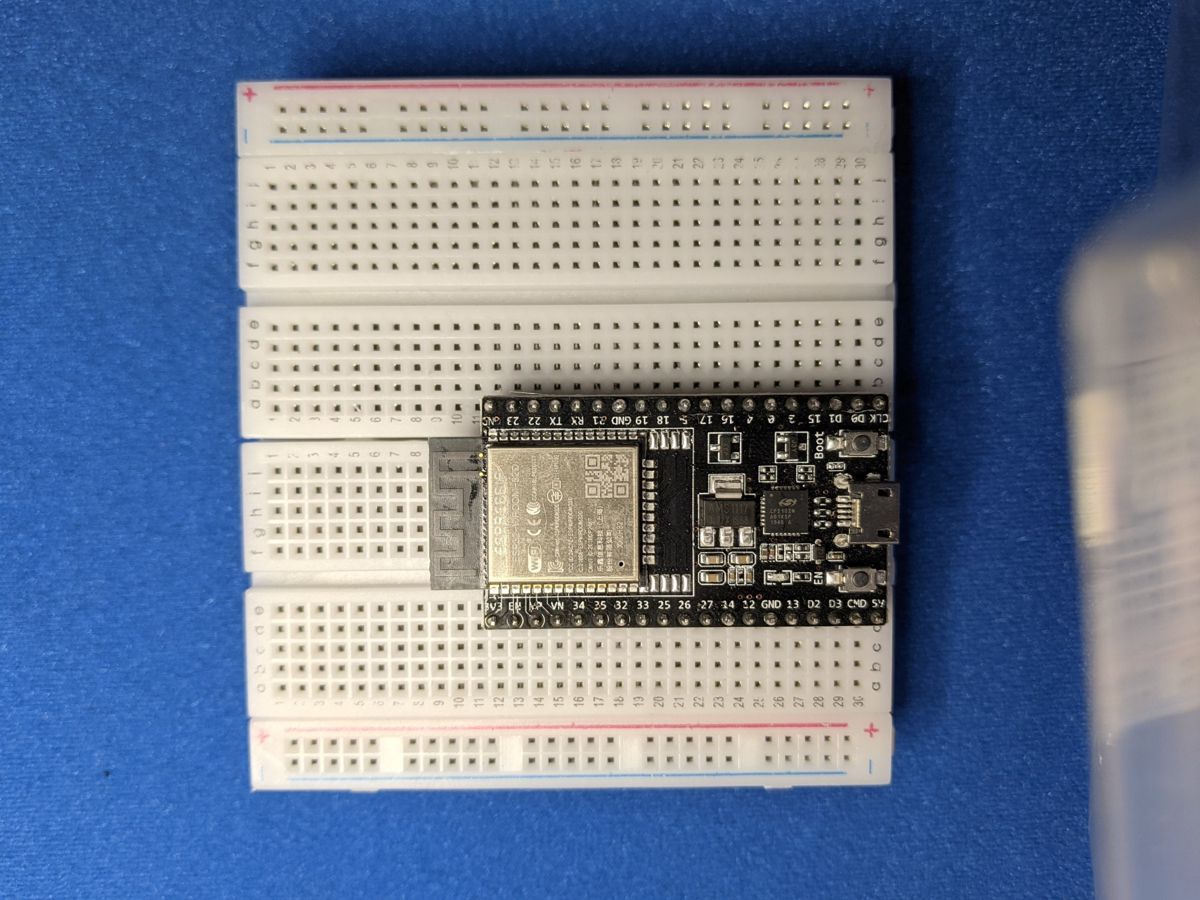
Most ESP32 boards are so wide that only one row of holes is left free on one side. That's fine for most lessons. When you need pins on both sides, put two breadboards next to each other with the ESP32 bridging the gap:
Use the rails
Connect a GND pin to the – rail and the 3V3 pin to the + rail. Then any component can reach power or ground from anywhere on the board with one short wire.
No hardware yet? Try a simulator
Wokwi is a free online simulator that runs MicroPython on a virtual ESP32, complete with LEDs, buttons, servos and OLED screens. It's a great way to try the lessons before your parts arrive.