Piezo Buzzers
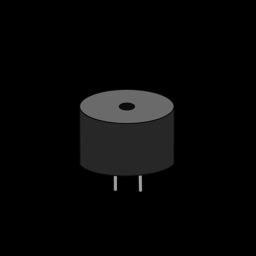
A piezo buzzer turns electrical pulses into sound. Controlling one is your introduction to PWM (pulse-width modulation), the same technique you'll use for servo motors in the next lesson.
You'll need:
- 1 × passive piezo buzzer
- 2 × jumper wires
Hardware
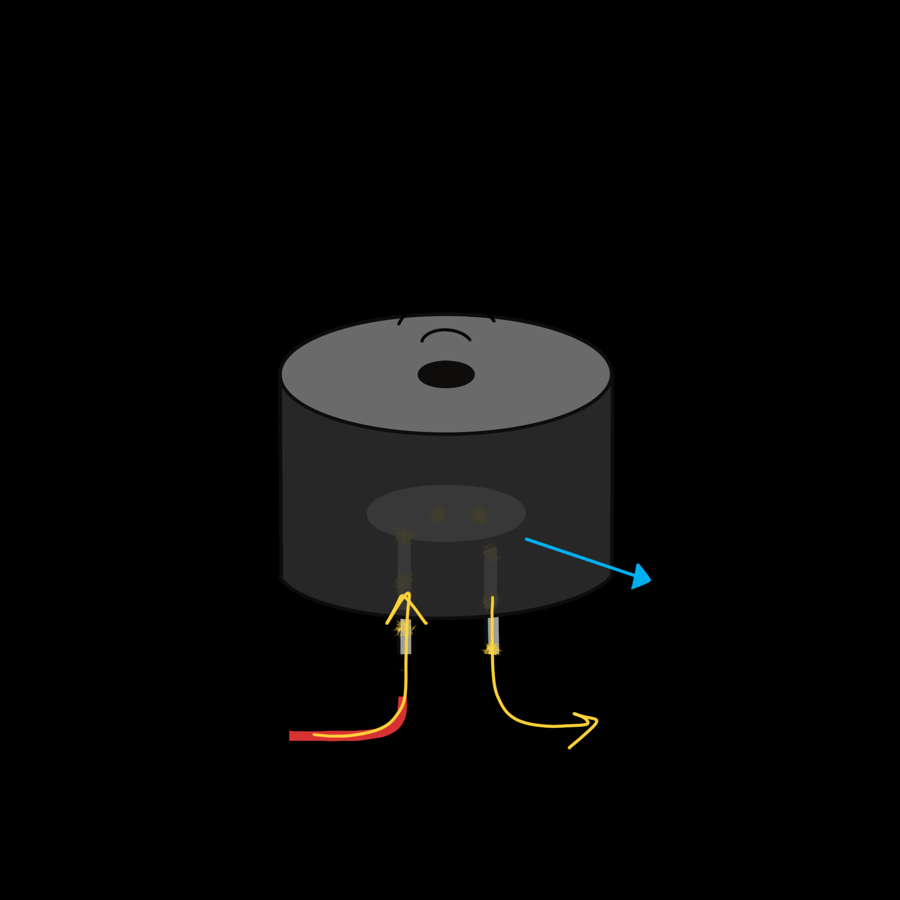
Inside the buzzer is a thin piezo disc, which flexes slightly every time voltage is applied to it. Pulse it on and off hundreds of times a second and the disc vibrates, pushing the air to make a sound.
Wiring
| Buzzer leg | Connect to |
|---|---|
| + (usually the longer leg) | ESP32 GPIO 26 |
| – | ESP32 GND |
If you can't hear anything once the code is running, try swapping the legs.
Passive or active?
This lesson needs a passive buzzer, which plays whatever pitch you send it. An active buzzer has its own circuit inside and can only beep at one fixed pitch when switched on. Active buzzers usually have a sealed bottom and a sticker on top. If yours only ever makes the same tone, it's an active one.
How PWM works
A PWM pin switches between on and off over and over. Two settings control the signal:
- Frequency (
freq): how many on/off cycles happen per second, in hertz (Hz). For a buzzer, this is the pitch. Higher frequency, higher note. The A above middle C is 440 Hz. Most buzzers sound best between about 100 Hz and 5,000 Hz. - Duty cycle (
duty_u16): how much of each cycle the pin is on, from 0 (never) to 65535 (always). For a buzzer, this affects the volume:
duty_u16 |
Duty | Sound |
|---|---|---|
0 |
0 % | Silent |
16384 |
25 % | Quieter |
32768 |
50 % | Loudest |
65535 |
100 % | Silent: the pin is just on, not pulsing |
The disc vibrates hardest when the on and off halves are equal, so 50 % is the loudest. Above 50 % it gets quieter again.
Software
Beep!
# Beep a piezo buzzer three times
import time
from machine import PWM, Pin

BUZZER_PIN = 26

buzzer = PWM(Pin(BUZZER_PIN), freq=1000, duty_u16=0)  # starts silent

for i in range(3):
    buzzer.duty_u16(32768)   # 50% duty: loudest
    time.sleep(0.2)
    buzzer.duty_u16(0)       # 0% duty: silent
    time.sleep(0.2)

buzzer.deinit()   # release the pin
PWM(Pin(BUZZER_PIN), freq=1000, duty_u16=0)turns the pin into a PWM output at 1,000 Hz, starting silent.buzzer.duty_u16(32768)starts the sound;buzzer.duty_u16(0)stops it.buzzer.deinit()switches PWM off when you're finished with the pin.
Hearing the frequencies
This sweep plays every pitch from 100 Hz to 2,000 Hz. Watch the Shell to find frequencies you like:
# Sweep through frequencies to hear how pitch changes
import time
from machine import PWM, Pin

BUZZER_PIN = 26

buzzer = PWM(Pin(BUZZER_PIN), freq=100, duty_u16=32768)

# start at 100 Hz, go up by 50 Hz each step, stop before 2000 Hz
for frequency in range(100, 2000, 50):
    print(frequency, "Hz")
    buzzer.freq(frequency)
    time.sleep(0.2)

buzzer.duty_u16(0)
buzzer.deinit()
range(100, 2000, 50) counts from 100, going up by 50 each time, and stops
before 2000.
Playing a tune
Every musical note has a frequency. A dictionary is a handy way to look
them up by name, and a list of (note, beats) pairs describes a song:
# Play "Twinkle Twinkle Little Star"
import time
from machine import PWM, Pin

BUZZER_PIN = 26
BEAT = 0.3  # seconds per beat: smaller is faster

# Frequency (Hz) of each note in the middle octave
NOTES = {
    "C": 262, "D": 294, "E": 330, "F": 349,
    "G": 392, "A": 440, "B": 494, "C5": 523,
}

# Each item is (note, number of beats). "-" is a rest (silence).
SONG = [
    ("C", 1), ("C", 1), ("G", 1), ("G", 1), ("A", 1), ("A", 1), ("G", 2),
    ("F", 1), ("F", 1), ("E", 1), ("E", 1), ("D", 1), ("D", 1), ("C", 2),
]

buzzer = PWM(Pin(BUZZER_PIN), freq=440, duty_u16=0)


def play(note, beats):
    if note == "-":
        buzzer.duty_u16(0)
    else:
        buzzer.freq(NOTES[note])
        buzzer.duty_u16(32768)
    time.sleep(BEAT * beats * 0.9)
    buzzer.duty_u16(0)            # a tiny gap so repeated notes sound separate
    time.sleep(BEAT * beats * 0.1)


for note, beats in SONG:
    play(note, beats)

buzzer.deinit()
NOTES["G"]looks up the frequency of G: 392 Hz.for note, beats in SONG:takes each pair apart into two variables.- The short silence at the end of each note stops two of the same note from blurring into one long one.
Try writing your own song. Double a frequency and you get the same note one
octave higher, so "C5": 523 is twice "C": 262.
Stopping a stuck tone
If you press Stop in the middle of a note, the buzzer can keep
sounding. Type from machine import Pin; Pin(26, Pin.OUT).off() in the
Shell, or press the board's EN/RST button.
Challenge
Make a police-style siren that slides up and down in pitch, over and over.
Show a solution
# A siren that sweeps up and down in pitch
import time
from machine import PWM, Pin

buzzer = PWM(Pin(26), freq=600, duty_u16=32768)

for repeat in range(5):
    for frequency in range(600, 1500, 20):     # rising
        buzzer.freq(frequency)
        time.sleep_ms(5)
    for frequency in range(1500, 600, -20):    # falling
        buzzer.freq(frequency)
        time.sleep_ms(5)

buzzer.deinit()
range(1500, 600, -20) counts down because the step is negative.
Next up: Put buttons, potentiometers and buzzers together in the Music Machine project, or carry on to Servo Motors.