NeoPixels
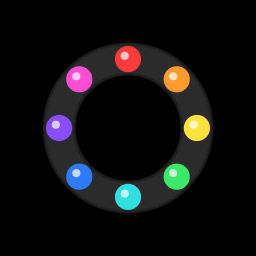
NeoPixels (their technical name is WS2812B) are RGB LEDs with a tiny chip built into each one. You can chain dozens or even hundreds of them together, and set every single pixel to its own colour, all from one GPIO pin. They're what's inside most LED strips, light-up keyboards and colour-changing lamps.
You'll need:
- 1 × WS2812B NeoPixel ring or stick with 8 LEDs (12 or 16 work too)
- 3 × jumper wires (you may need to solder header pins onto the ring)
Hardware
Each pixel receives a stream of colour data, keeps the first colour for itself, and passes the rest along to the next pixel in the chain. That's why one data wire is enough.
| NeoPixel pin | Connect to |
|---|---|
| 5V / VCC / PWR | ESP32 VIN (5 V) |
| DIN / IN (data in) | ESP32 GPIO 23 |
| GND | ESP32 GND |
Rings and sticks often have a DOUT (data out) pin too. It's for chaining another strip on the end, so leave it unconnected.
Mind the power
Each pixel can draw about 60 mA at full white, full brightness. Eight pixels at full blast is nearly half an amp, about as much as a computer USB port gives. The examples here keep brightness low, which looks plenty bright indoors. For more than about 16 pixels at high brightness, power them from a separate 5 V supply (and connect its GND to the ESP32's GND).
3.3 V data
NeoPixels are powered by 5 V but get their data from the ESP32's 3.3 V pin. With short wires this almost always works fine. If your pixels flicker or show random colours, shorten the data wire.
Software
MicroPython has a NeoPixel driver built in:
# Light up a NeoPixel ring or stick, one colour per pixel
from machine import Pin
from neopixel import NeoPixel

NEOPIXEL_PIN = 23
NUM_PIXELS = 8          # change this to match your ring or stick

pixels = NeoPixel(Pin(NEOPIXEL_PIN), NUM_PIXELS)

# Colours are (red, green, blue), each from 0 to 255.
# Keeping them low (under ~64) saves power and your eyes!
pixels[0] = (40, 0, 0)     # red
pixels[1] = (0, 40, 0)     # green
pixels[2] = (0, 0, 40)     # blue
pixels[3] = (40, 40, 0)    # yellow
pixels[4] = (0, 40, 40)    # cyan
pixels[5] = (40, 0, 40)    # magenta
pixels[6] = (40, 40, 40)   # white
pixels[7] = (0, 0, 0)      # off

pixels.write()   # nothing changes until you call write()
NeoPixel(Pin(23), 8)creates a driver for 8 pixels on GPIO 23.pixelsworks a lot like a list:pixels[0]is the first pixel, and you set it to a colour tuple(red, green, blue), each 0–255.- Nothing lights up until you call
pixels.write(), which sends every colour down the wire at once. That way all the pixels change together.
Try it in the REPL
>>> from machine import Pin
>>> from neopixel import NeoPixel
>>> pixels = NeoPixel(Pin(23), 8)
>>> pixels.fill((0, 20, 0))
>>> pixels.write()
fill() sets every pixel to the same colour.
A chasing light
# A single dot of light chasing around the ring
import time
from machine import Pin
from neopixel import NeoPixel

NUM_PIXELS = 8
pixels = NeoPixel(Pin(23), NUM_PIXELS)

position = 0
while True:
    pixels.fill((0, 0, 0))                # clear every pixel
    pixels[position] = (0, 30, 60)        # light just one
    pixels.write()
    position = (position + 1) % NUM_PIXELS   # wrap back round to 0
    time.sleep_ms(80)
- Each time round the loop,
fill((0, 0, 0))clears all the pixels, one pixel is lit, andpositionmoves on by one. (position + 1) % NUM_PIXELSuses the remainder operator to wrap from the last pixel back to 0, so the dot runs round and round.
Rainbow
# A rainbow that spins around the ring
import time
from machine import Pin
from neopixel import NeoPixel

NUM_PIXELS = 8
BRIGHTNESS = 0.25   # 0.0 to 1.0

pixels = NeoPixel(Pin(23), NUM_PIXELS)


def wheel(position):
    # Turn a number from 0-255 into a colour on the colour wheel:
    # red -> green -> blue -> back to red
    position = position % 256
    if position < 85:
        r, g, b = 255 - position * 3, position * 3, 0
    elif position < 170:
        position -= 85
        r, g, b = 0, 255 - position * 3, position * 3
    else:
        position -= 170
        r, g, b = position * 3, 0, 255 - position * 3
    return (int(r * BRIGHTNESS), int(g * BRIGHTNESS), int(b * BRIGHTNESS))


offset = 0
while True:
    for i in range(NUM_PIXELS):
        # spread the whole rainbow evenly around the ring
        pixels[i] = wheel(i * 256 // NUM_PIXELS + offset)
    pixels.write()
    offset += 4
    time.sleep_ms(30)
wheel()turns any number into a colour on the colour wheel: 0 is red, about 85 is green, about 170 is blue, and 255 is back to red. It's the same cross-fade as the last example in RGB LEDs, packed into a function.- Each pixel gets a colour spread evenly around the wheel, and adding
offseteach frame makes the whole rainbow spin. BRIGHTNESSscales every colour down. Try1.0for a moment (it's bright), then put it back.
Challenge
Make a level meter: turn the potentiometer on GPIO 34 and light up more pixels the further you turn it: green for the first few, then yellow, then red at the top.
Show a hint
Scale the potentiometer reading to the number of pixels:
lit = pot.read_u16() * NUM_PIXELS // 65535. Then loop over every
pixel: if its number is less than lit, give it a colour based on its
position; otherwise set it to (0, 0, 0). Don't forget
pixels.write() at the end!
Next up: Ultrasonic Sensors: measure distance with sound, like a bat.