Project: Night Light
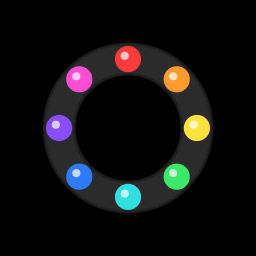
Build a lamp that looks after itself. When the room gets dark, a ring of NeoPixels fades up to a cosy warm glow, and when the lights come back on, it fades away again. Touch a coin on the side to switch to a rainbow or a slow colour fade.
Objective
- In auto mode, the ring glows warm white only when it's dark.
- Touching the pad (a coin or foil on GPIO 4) steps through the modes: auto warm white → rainbow → colour fade → off, then back round.
- The light fades smoothly between on and off, instead of snapping.
- It mustn't flicker when the room is right on the edge of dark.
You'll need:
- 1 × NeoPixel ring or stick (8 LEDs)
- 1 × photoresistor (light sensor)
- 1 × 10 kΩ resistor
- 1 × coin, or a square of aluminium foil, for the touch pad
- Jumper wires
Before you start
This project uses what you learned in NeoPixels,
Light Sensors and
Touch Sensors. It doesn't need any library
files: neopixel comes built into MicroPython.
Wiring
| Part | Pin | Connects to |
|---|---|---|
| NeoPixel ring | DIN (data in) | GPIO 23 |
| 5V / VCC | VIN | |
| GND | GND | |
| Photoresistor | one leg | 3V3 |
| other leg | GPIO 36 (VP) | |
| 10 kΩ resistor | one end | GPIO 36 (same row as the photoresistor) |
| other end | GND | |
| Touch pad | jumper wire | GPIO 4. Tape a coin or foil to the other end. |
Tip
Keep the light sensor pointing away from the NeoPixels. Otherwise the lamp turns on, sees its own light, decides it's daytime, and turns off again!
Plan it out
- Set up each component. The light sensor is an ADC input, the ring is
a
NeoPixelobject, and the touch pad is aTouchPad. - Break the job into functions.
calibrate_touch()measures the pad when nobody's touching it.check_touch()moves to the next mode once per touch.check_darkness()decides whether it's dark, using two thresholds.wheel()turns a number into a rainbow colour, andscaled()dims a colour.draw()paints the ring for the current mode.
- Call the functions from the main loop. Every 20 ms: check the touch pad, check the light, work out how bright the lamp should be, fade a little towards that, and redraw.
Code
Save this to your ESP32 as main.py so it runs every time the board
powers up. Or just click Run in Thonny to try it out.
# Night Light: a NeoPixel ring that switches itself on when the room
# gets dark. Touch the pad on GPIO 4 to change the lighting mode.
import time
from machine import Pin, ADC, TouchPad
from neopixel import NeoPixel

LIGHT_PIN = 36     # light sensor (LDR + 10 kΩ divider)
PIXEL_PIN = 23     # NeoPixel DIN
NUM_PIXELS = 8
TOUCH_PIN = 4      # touch pad

# The light only switches on below DARK and off above BRIGHT. The gap
# between them (hysteresis) stops it flickering at dusk.
DARK = 15000
BRIGHT = 22000
BRIGHTNESS = 0.4   # 0.0 to 1.0: NeoPixels are VERY bright

MODES = ["auto warm white", "rainbow", "colour fade", "off"]

# Step 1: set up each component
light = ADC(Pin(LIGHT_PIN), atten=ADC.ATTN_11DB)
pixels = NeoPixel(Pin(PIXEL_PIN, Pin.OUT), NUM_PIXELS)
touch = TouchPad(Pin(TOUCH_PIN))

mode = 0
is_dark = False
level = 0.0          # current fade level, 0.0 (off) to 1.0 (full)
step = 0             # animation counter
touch_baseline = 0
was_touched = False


# Step 2: small functions for each job
def calibrate_touch():
    # Average a few readings with nobody touching the pad
    total = 0
    for i in range(20):
        total += touch.read()
        time.sleep_ms(10)
    return total // 20


def touched():
    # On the ESP32, the reading DROPS when you touch the pad
    return touch.read() < touch_baseline * 0.7


def check_touch():
    # Change mode once per touch (not over and over while held)
    global was_touched, mode
    now = touched()
    if now and not was_touched:
        mode = (mode + 1) % len(MODES)
        print("Mode:", MODES[mode])
    was_touched = now


def check_darkness():
    global is_dark
    reading = light.read_u16()
    if reading < DARK:
        is_dark = True
    elif reading > BRIGHT:
        is_dark = False


def wheel(position):
    # Turn a number from 0-255 into a colour of the rainbow
    position = position % 256
    if position < 85:
        return (255 - position * 3, position * 3, 0)
    if position < 170:
        position -= 85
        return (0, 255 - position * 3, position * 3)
    position -= 170
    return (position * 3, 0, 255 - position * 3)


def scaled(colour, amount):
    r, g, b = colour
    return (int(r * amount), int(g * amount), int(b * amount))


def draw():
    # Fill the ring with the current mode's colours, faded by `level`
    amount = level * BRIGHTNESS
    for i in range(NUM_PIXELS):
        if mode == 0:
            colour = (255, 140, 40)          # warm white
        elif mode == 1:
            colour = wheel(step + i * 256 // NUM_PIXELS)
        else:
            colour = wheel(step // 2)        # the whole ring, one colour
        pixels[i] = scaled(colour, amount)
    pixels.write()


# Step 3: the main loop
touch_baseline = calibrate_touch()
print("Touch baseline:", touch_baseline)

while True:
    check_touch()
    check_darkness()

    # Work out how bright we SHOULD be...
    if MODES[mode] == "off":
        target = 0.0
    elif mode == 0:
        target = 1.0 if is_dark else 0.0   # only warm white is automatic
    else:
        target = 1.0

    # ...and fade towards it a little each loop, for smooth changes
    if level < target:
        level = min(target, level + 0.02)
    elif level > target:
        level = max(target, level - 0.02)

    draw()
    step += 1
    time.sleep_ms(20)
How it works
- Hysteresis is the trick that stops the flickering. If there were only
one threshold, a room right on the edge would bounce above and below it,
and the lamp would flash on and off. Instead, it takes a darker reading
(
DARK) to switch on than it does to switch off (BRIGHT). In between,is_darksimply keeps its last value. - Fading: the loop doesn't jump straight to the brightness it wants.
Every 20 ms it moves
leveljust 0.02 closer to thetarget, so a full fade takes about a second. - Touch: on the ESP32 a touch pad's reading drops when you touch it.
calibrate_touch()measures the normal reading at start-up, and anything below 70 % of that counts as a touch.was_touchedmakes sure one long touch only changes the mode once. wheel()walks around the colour wheel: red → green → blue → back to red. In rainbow mode each LED gets a different position on the wheel, andstepslowly spins them round. In colour fade mode the whole ring shares one colour that slowly changes.
Tuning the thresholds
Add print(light.read_u16()) to the loop and watch the numbers in the
Shell with the room lights on and off. Pick DARK a bit above your "lights
off" number and BRIGHT a bit below your "lights on" number.
Result
Cover the light sensor with your hand (or turn off the lights) and the ring fades up to a soft orange-white. Uncover it and the glow fades away. Touch the coin, and the ring bursts into a spinning rainbow. Touch it again for a slow, calm colour fade, and once more to switch it off.
Make it your own
- Cheaper version: use an RGB LED instead of a NeoPixel ring. You'll only have one colour at a time, but the colour fade looks great through a ping-pong ball diffuser.
- Sleep timer: after 30 minutes on, fade out slowly. Handy for falling asleep.
- Brightness knob: add a potentiometer on GPIO 34 to set
BRIGHTNESS. - Lampshade: a paper cup, a frosted jar or a 3D-printed shade turns a breadboard into something you'd actually keep on a shelf.