Motion Sensors

A PIR (passive infrared) sensor notices when something warm, like a person or a pet, moves in front of it. It's what switches on automatic lights, and it's a digital input just like a button: 1 when it sees motion, 0 when it doesn't.
You'll need:
- 1 × HC-SR501 PIR motion sensor
- 3 × jumper wires (female-to-male are handiest)
- The LED and resistor from the LEDs lesson
- The buzzer from the Piezo Buzzers lesson (for the challenge)
Hardware
Everything warm gives off invisible infrared light. The white dome is a lens that focuses infrared from the room onto a sensor behind it. When the pattern of heat changes, because something warm moved, the sensor sets its output pin HIGH.
Pins
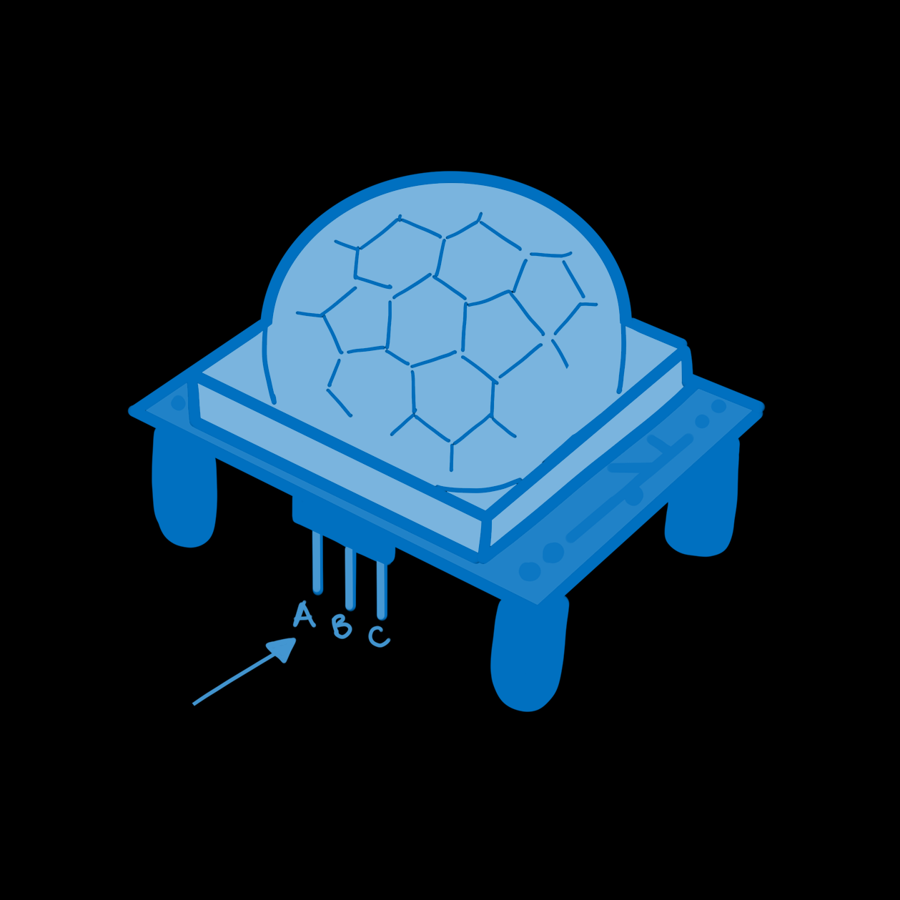
| Pin | Name | Connect to |
|---|---|---|
| A | GND | ESP32 GND |
| B | OUT (output) | ESP32 GPIO 33 |
| C | VCC (power) | ESP32 VIN (5 V) |
The sensor needs about 5 V to run, so it's powered from VIN. Its output signal is only 3.3 V though, which is safe for the ESP32's pins.
Check the labels
The pin names are printed on the circuit board, hidden under the white dome. The dome pulls straight off, so if your sensor looks different from the diagram, take a peek and put it back on afterwards.
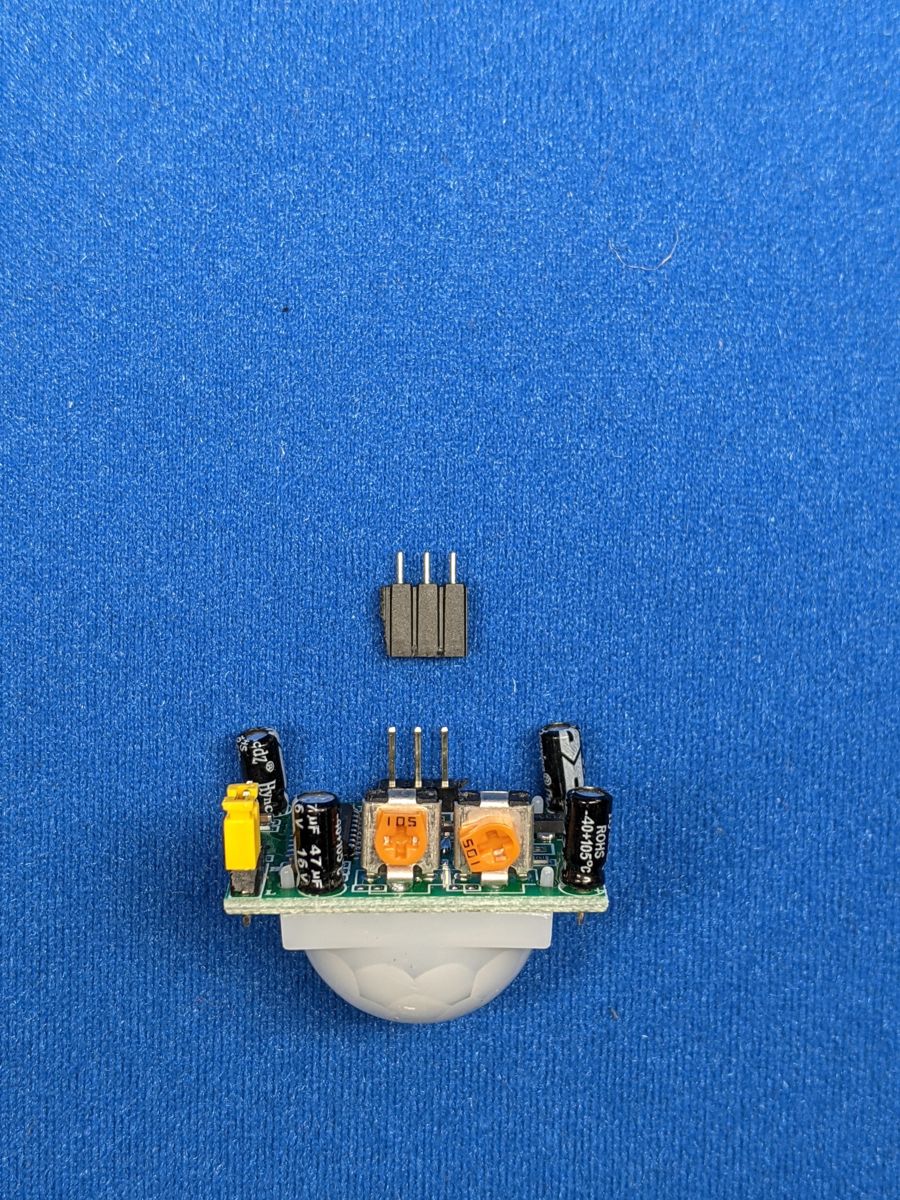
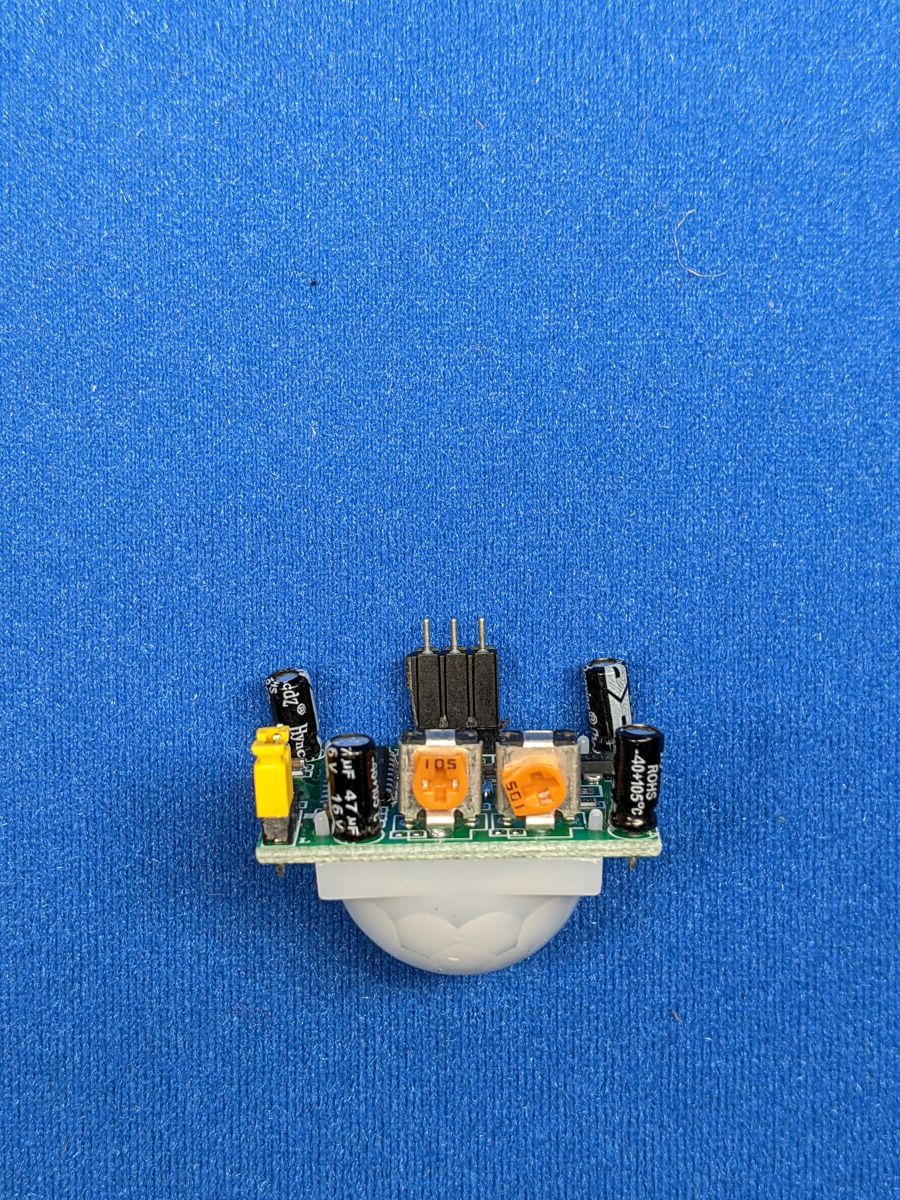
If your sensor came with a loose 3-pin header, fit it into the three holes (some sensors need it soldered in) so you can plug in jumper wires:
The two dials
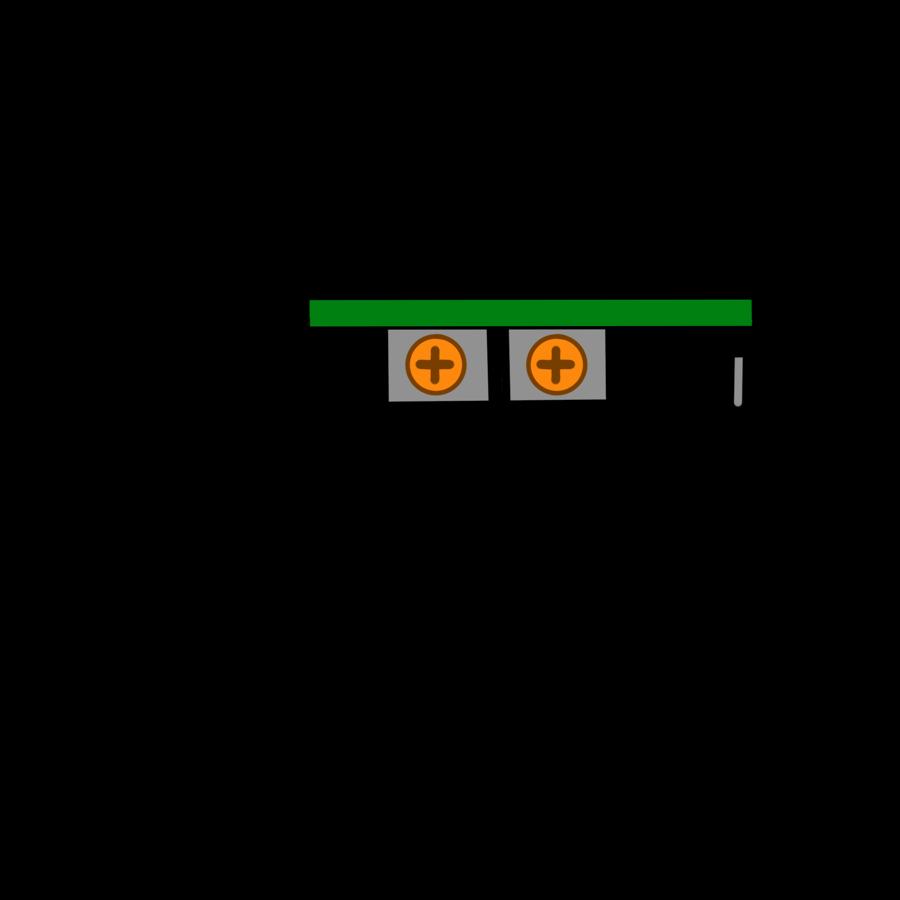
On the side are two small orange dials you can turn with a screwdriver:
- Time delay (often labelled Tx): how long the output stays at 1 after motion is detected, from about 3 seconds up to a few minutes. Turn it all the way down (anticlockwise) for this lesson.
- Sensitivity (often labelled Sx): how far away it can see, from roughly 3 m to 7 m.
Many sensors also have a small jumper with two positions. In H (repeat trigger), the output stays on for as long as there's movement. In L (single trigger), it turns off after the delay even if you're still moving. H is the one you'll usually want.
Software
# Light the LED whenever the motion sensor sees movement
import time
from machine import Pin

PIR_PIN = 33
LED_PIN = 27

pir = Pin(PIR_PIN, Pin.IN)   # the sensor drives the pin itself: no pull-up needed
led = Pin(LED_PIN, Pin.OUT)

print("Warming up... give the sensor about a minute to settle")

while True:
    led.value(pir.value())   # 1 = motion, 0 = no motion
    time.sleep_ms(50)
Pin(PIR_PIN, Pin.IN)sets up an input without a pull-up resistor. Unlike a button, the sensor actively drives its output to 0 or 1 itself.led.value(pir.value())copies the sensor's reading straight onto the LED.
Give it a minute
After power-up, a PIR sensor needs 30–60 seconds to learn what the room looks like. It may trigger randomly during that time. It also ignores new motion for a couple of seconds after its output switches off.
Reacting when motion starts
Usually you want to do something once when motion begins, such as sending an alert, rather than the whole time it's happening. It's the same trick as the button lesson: remember the last reading and look for a change:
# Print a message when motion starts and when it stops
import time
from machine import Pin

pir = Pin(33, Pin.IN)

last_value = pir.value()
count = 0

while True:
    value = pir.value()
    if value != last_value:
        if value == 1:
            count += 1
            print("Motion started! (#" + str(count) + ")")
        else:
            print("Motion stopped")
        last_value = value
    time.sleep_ms(50)
No debouncing is needed here: the sensor's output is already clean.
Challenge
Build a mini intruder alarm: each time motion starts, flash the LED and chirp the buzzer (GPIO 26) three times.
Show a solution
# Chirp the buzzer and flash the LED each time motion starts
import time
from machine import PWM, Pin

pir = Pin(33, Pin.IN)
led = Pin(27, Pin.OUT)
buzzer = PWM(Pin(26), freq=1500, duty_u16=0)


def chirp():
    for i in range(3):
        led.on()
        buzzer.duty_u16(32768)
        time.sleep_ms(100)
        led.off()
        buzzer.duty_u16(0)
        time.sleep_ms(100)


last_value = pir.value()
while True:
    value = pir.value()
    if value == 1 and last_value == 0:   # motion just started
        chirp()
    last_value = value
    time.sleep_ms(50)
Want the alarm to message your phone instead? That's the Motion Alert project.
Next up: Wi-Fi & APIs.