Project: Music Machine
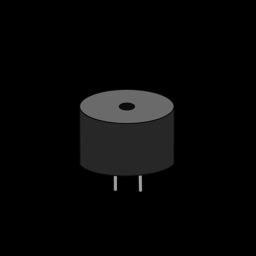
Your first project combines an input you press, an input you turn, and an output you hear. Tap a button to start the sound, then twist the dial to slide the pitch up and down like a theremin.
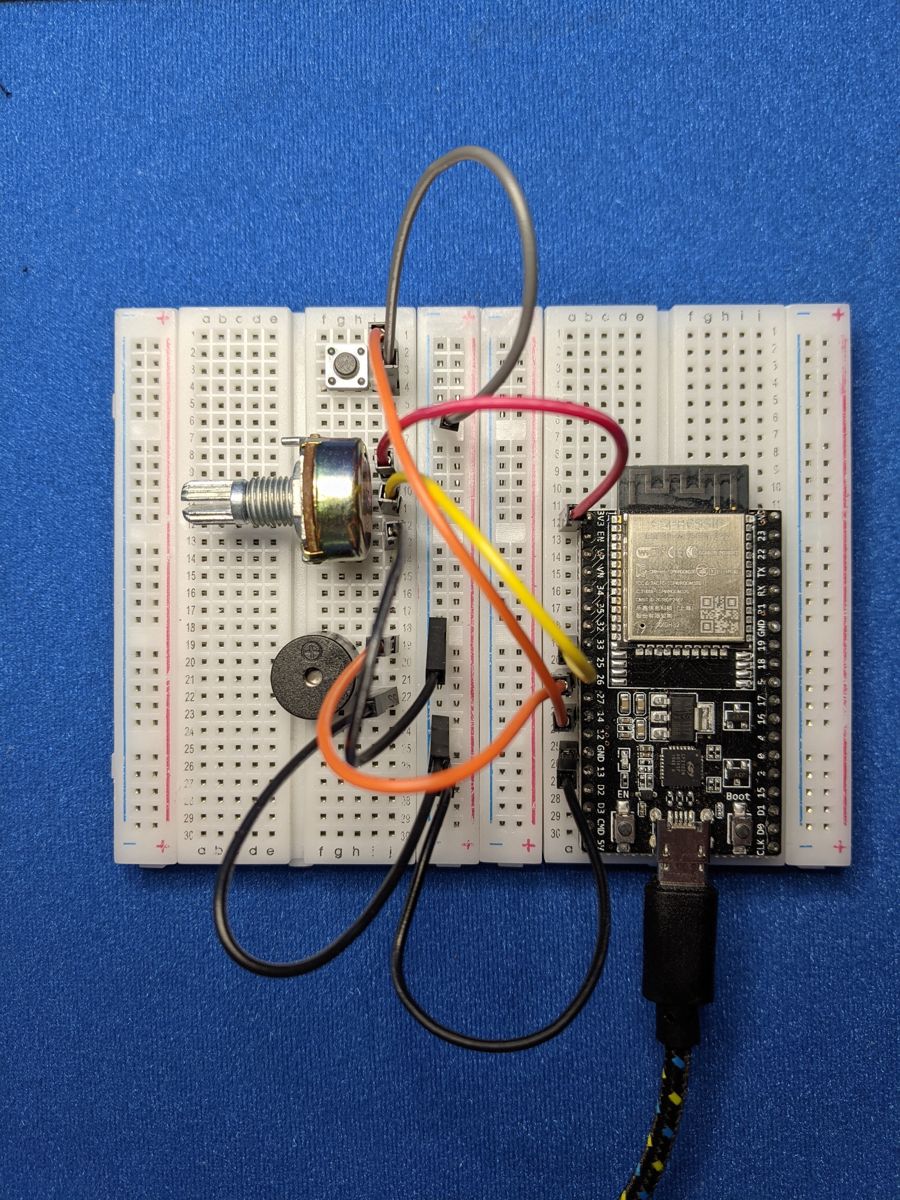
Photo from the first edition. Follow the wiring table for pin numbers.
Objective
- Button A turns the buzzer on and off.
- Potentiometer 1 controls the pitch, from a low hum (200 Hz) to a high squeal (2000 Hz).
You'll need:
- 1 × push button
- 1 × potentiometer
- 1 × passive piezo buzzer
- Jumper wires
Before you start
This project uses what you learned in Buttons,
Potentiometers and
Piezo Buzzers. Make sure button.py is
saved on your ESP32 (see Saving Programs to the Board).
Wiring
| Part | Pin | Connects to |
|---|---|---|
| Button A | one leg | GPIO 14 |
| other leg | GND | |
| Potentiometer 1 | left leg | 3V3 |
| middle leg | GPIO 34 | |
| right leg | GND | |
| Buzzer | + leg | GPIO 26 |
| – leg | GND |
Tip
Use the long rails along the edge of the breadboard for 3V3 and GND. Then every part can plug into the rail instead of fighting over the one GND pin on the ESP32.
Plan it out
When you write a project, it's easiest to go step by step rather than typing everything at once:
- Set up each component. Create the button, the buzzer (a PWM output) and the potentiometer (an ADC input), using the same code as in the component lessons.
- Break the job into functions.
toggle_sound()flips the buzzer between on and off.update_pitch()reads the potentiometer and sets the buzzer's frequency to match.
- Call the functions from the main loop. The button is checked every time around the loop. The pitch is only updated while the sound is on.
Code
Save this to your ESP32 as main.py so it runs every time the board
powers up. Or just click Run in Thonny to try it out.
# Music Machine: Button A turns the sound on and off,
# Potentiometer 1 changes the pitch.
import time
from machine import Pin, PWM, ADC
from button import Button

BUTTON_PIN = 14   # Button A
BUZZER_PIN = 26
POT_PIN = 34      # Potentiometer 1

LOWEST_NOTE = 200    # Hz, with the dial turned all the way down
HIGHEST_NOTE = 2000  # Hz, with the dial turned all the way up
VOLUME = 32768       # duty_u16: 0 is silent, 32768 (50%) is loudest

# Step 1: set up each component
button = Button(BUTTON_PIN)
buzzer = PWM(Pin(BUZZER_PIN), freq=LOWEST_NOTE, duty_u16=0)
pot = ADC(Pin(POT_PIN), atten=ADC.ATTN_11DB)  # read the full 0-3.3 V range

playing = False


# Step 2: break the job into small functions
def toggle_sound():
    global playing
    playing = not playing
    if playing:
        buzzer.duty_u16(VOLUME)
    else:
        buzzer.duty_u16(0)


def update_pitch():
    reading = pot.read_u16()  # 0 to 65535
    # scale the reading onto our range of notes
    frequency = LOWEST_NOTE + reading * (HIGHEST_NOTE - LOWEST_NOTE) // 65535
    buzzer.freq(frequency)


# Step 3: call the functions from the main loop
while True:
    if button.was_pressed():
        toggle_sound()
    if playing:
        update_pitch()
    time.sleep_ms(10)
How it works
playingremembers whether the sound is on. Becausetoggle_sound()changes it, the function needs the lineglobal playing. Without it, Python would create a new local variable instead of updating the shared one.-
The potentiometer gives a number from 0 to 65535. This line stretches it onto our range of notes:
At 0 you get
LOWEST_NOTE, and at 65535 you getHIGHEST_NOTE. Everything in between lands proportionally in the middle. You'll use this same "map one range onto another" trick in almost every project. - Volume is controlled by the duty cycle, not the frequency. A duty of 32768 (50 %) is the loudest a piezo buzzer can go. 0 is silent. -time.sleep_ms(10)gives the loop a tiny rest. That's still 100 checks a second, far faster than you can press a button.
Result
Press Button A and the buzzer starts humming. Turn the dial and the pitch slides up and down. Press the button again for silence.
Make it your own
- Volume knob: wire up Potentiometer 2 (GPIO 35) and use it to set the duty cycle anywhere from 0 to 32768.
- Real notes: instead of a smooth slide, snap the pitch to the nearest
note of a scale. Make a list like
NOTES = [262, 294, 330, 349, 392, 440, 494, 523](C, D, E, F, G, A, B, C) and use the potentiometer to pick an index into it. - Tune player: make Button A play a short melody from a list of
(frequency, milliseconds)pairs.