Servo Motors
A servo is a small motor that can turn to an exact angle and hold it there. Servos steer RC cars, move robot arms and flick switches. You control one with PWM, like the buzzer, but this time the length of each pulse sets the angle.
You'll need:
- 1 × SG90-style micro servo (or similar)
- 3 × jumper wires
- A push button (for the challenge)
Hardware
A servo has three wires. The colours vary between brands:
| Servo wire | Usual colour | Connect to |
|---|---|---|
| Power | Red | ESP32 VIN (5 V from USB) |
| Ground | Brown or black | ESP32 GND |
| Signal | Orange, yellow or white | ESP32 GPIO 13 |
Power from VIN, not 3V3
Motors draw a lot of current when they move. Powering the servo from VIN takes that current straight from USB, rather than through the ESP32's 3.3 V regulator. One small servo is fine this way. For bigger servos, or several at once, use a separate 5 V supply and connect its ground to the ESP32's GND.
How a servo reads PWM
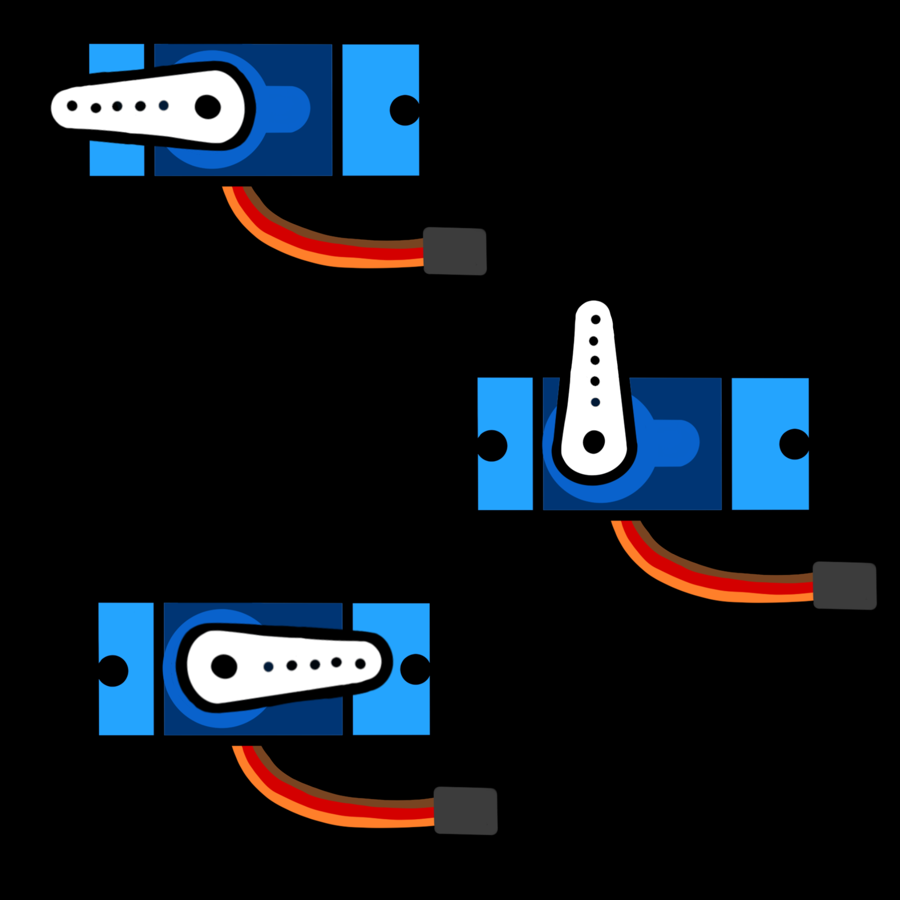
A servo expects a pulse 50 times a second (50 Hz), which is one every 20 milliseconds. The length of each pulse tells it where to point:
| Pulse length | Angle |
|---|---|
| 0.5 ms | 0° |
| 1.5 ms | 90° (middle) |
| 2.5 ms | 180° |
Instead of working out a duty cycle, MicroPython lets you set the pulse
length directly with duty_ns(), in nanoseconds (billionths of a second).
1 ms is 1,000,000 ns.
Software
# Move a servo to 0, 90 and 180 degrees, then sweep smoothly
import time
from machine import PWM, Pin

SERVO_PIN = 13

# Pulse lengths (in nanoseconds) for 0 and 180 degrees.
# Adjust these if your servo doesn't reach the ends (see servo_calibrate.py)
SERVO_MIN_NS = 500_000     # 0.5 ms
SERVO_MAX_NS = 2_500_000   # 2.5 ms

# Servos expect a pulse 50 times a second (50 Hz)
servo = PWM(Pin(SERVO_PIN), freq=50, duty_u16=0)


def set_angle(angle):
    angle = max(0, min(180, angle))   # keep it between 0 and 180
    pulse = SERVO_MIN_NS + (SERVO_MAX_NS - SERVO_MIN_NS) * angle // 180
    servo.duty_ns(pulse)


for angle in (0, 90, 180):
    print("Moving to", angle)
    set_angle(angle)
    time.sleep(1)

# sweep back down 2 degrees at a time
for angle in range(180, -1, -2):
    set_angle(angle)
    time.sleep_ms(20)

servo.duty_u16(0)   # stop sending pulses: the servo relaxes
PWM(Pin(SERVO_PIN), freq=50, duty_u16=0)sets up 50 Hz pulses, starting with no signal so the servo doesn't jump anywhere.set_angle()does the maths once, so the rest of your code can think in degrees. At 90°, it works out500_000 + 2_000_000 * 90 // 180 = 1_500_000ns: 1.5 ms, the middle.max(0, min(180, angle))clamps the angle, so a typo likeset_angle(1800)can't push the servo past its limits.servo.duty_u16(0)stops the pulses. The servo relaxes and can be turned by hand. Keep sending pulses if you need it to hold its position against a force.
(You can write big numbers like 2_500_000 with underscores to make them
easier to read. Python ignores the underscores.)
Calibrating your servo
Every servo model is a little different. If yours buzzes or strains at 0° or 180°, it's being asked to go further than it can. Run this sweep and watch where the horn stops moving at each end:
# Find the pulse lengths your servo really uses for 0 and 180 degrees.
# Watch the horn: note the value where it stops moving at each end.
import time
from machine import PWM, Pin

SERVO_PIN = 13

servo = PWM(Pin(SERVO_PIN), freq=50, duty_u16=0)

# try pulses from 0.4 ms to 2.6 ms in 0.05 ms steps
for pulse_us in range(400, 2601, 50):
    print("pulse:", pulse_us, "us  ->  use", pulse_us * 1000, "ns")
    servo.duty_ns(pulse_us * 1000)
    time.sleep(0.5)

servo.duty_u16(0)
Then put those two values into SERVO_MIN_NS and SERVO_MAX_NS in your
programs. Many SG90s are happiest at about 600,000–2,400,000 ns.
Continuous-rotation servos
Some servos look identical but are labelled 360° or continuous (for example the FS90R). They spin like a wheel instead of pointing to an angle: a 1.5 ms pulse means stop, shorter pulses spin one way and longer pulses spin the other, faster the further from 1.5 ms you go. If your servo keeps spinning during the sweep, that's what you have.
Challenge
Using the Button module, make each
press of Button A (GPIO 14) move the servo to the next position in the list
[0, 45, 90, 135, 180], looping back to 0 at the end.
Show a solution
# Each press of Button A moves the servo to the next position
from machine import PWM, Pin
from button import Button

SERVO_MIN_NS = 500_000
SERVO_MAX_NS = 2_500_000
POSITIONS = [0, 45, 90, 135, 180]

servo = PWM(Pin(13), freq=50, duty_u16=0)
button = Button(14)


def set_angle(angle):
    angle = max(0, min(180, angle))
    pulse = SERVO_MIN_NS + (SERVO_MAX_NS - SERVO_MIN_NS) * angle // 180
    servo.duty_ns(pulse)


index = 0
set_angle(POSITIONS[index])

while True:
    if button.was_pressed():
        index = (index + 1) % len(POSITIONS)   # wrap back to 0 at the end
        print("Angle:", POSITIONS[index])
        set_angle(POSITIONS[index])
% gives the remainder after dividing, so (4 + 1) % 5 is 0. It's a
neat trick for wrapping a counter back to the start.
Next up: Control a servo with a knob or buttons in the Servo Controller project, or carry on to OLED Screens.