Project: Fortune Teller
Ask a yes-or-no question, press the button, and watch the pointer swing wildly across the wheel, slow down… and land on your fate. It's a magic 8-ball you built yourself.
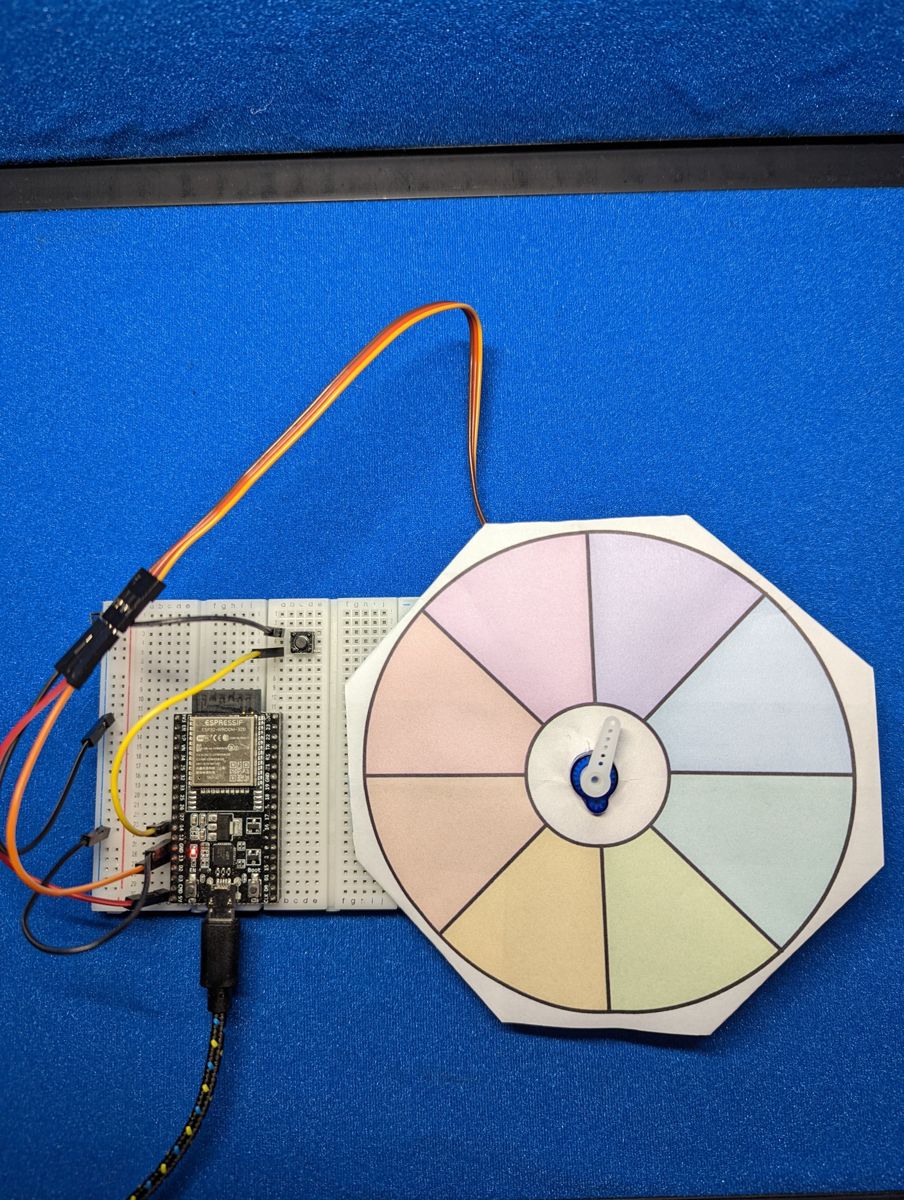
Photo from the first edition, which used a full-circle wheel. Follow the wiring table for pin numbers.
Objective
Press Button A and the servo sweeps back and forth for a random 2–6 seconds, gradually slowing down. Then it lands on one of six slices of a paper wheel. The buzzer ticks every time the pointer crosses into a new slice, and the chosen fortune is printed in Thonny's Shell.
You'll need:
- 1 × servo motor (SG90 or similar) with a pointer-shaped arm
- 1 × push button
- 1 × passive piezo buzzer (optional, for tick sounds)
- The printable wheel (below), scissors, and tape
- Jumper wires
Before you start
This project builds on Servo Motors,
Buttons and
Piezo Buzzers. Make sure button.py is
saved on your ESP32 (see Saving Programs to the Board).
Make the wheel
A standard servo turns through 180°, so the wheel is a half-circle split into six slices of 30°.
Download the printable wheel (SVG)
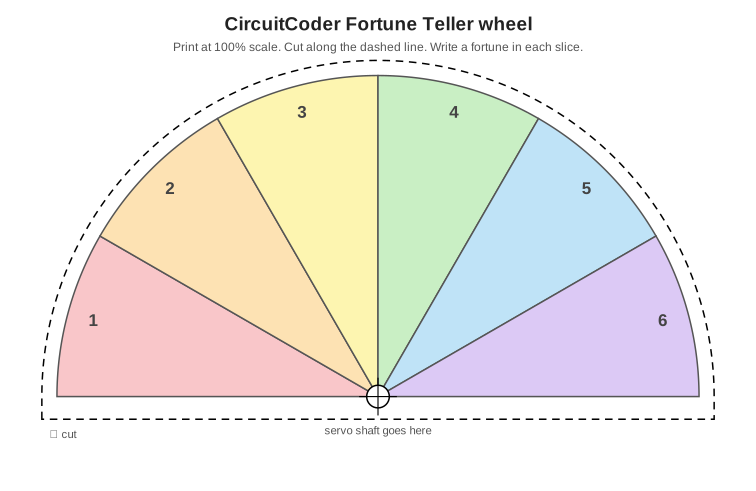
- Print it at 100 % scale (don't "fit to page").
- Write a fortune in each slice. They're numbered 1–6, matching the
FORTUNESlist in the code. Or use them as a dice, a chore picker, or a "who goes first?" spinner. - Cut along the dashed line and poke a hole where the servo shaft goes.
- Slide the wheel over the servo's shaft, then push the arm back on and tape the wheel to the servo body so it can't turn.
Lining up the pointer
When the code starts, it moves the servo to the middle of slice 1 (15°). Run it once before attaching the arm, then push the arm on so it points into slice 1. If the pointer runs the "wrong way" around the wheel, just flip the order of the fortunes in the list.
Wiring
| Part | Wire / leg | Connects to |
|---|---|---|
| Servo | brown or black (ground) | GND |
| red (power) | VIN (5 V) | |
| orange or yellow (signal) | GPIO 13 | |
| Button A | one leg | GPIO 14, other leg to GND |
| Buzzer (optional) | + leg | GPIO 26 |
| – leg | GND |
Plan it out
- Set up each component: the servo and buzzer are PWM outputs, and
the button comes from
button.py. - Break the job into functions.
set_angle(angle)points the servo.tick()makes a very short click on the buzzer.spin()sweeps back and forth, slowing down, for a random time.land(from_angle)picks a random fortune and glides to the middle of its slice.
- Main loop: wait for a button press, then spin, land and announce the fortune.
Code
Save this to your ESP32 as main.py, or click Run in Thonny.
# Fortune Teller: press Button A and the servo "spins" a pointer
# across a half-circle wheel, slows down, and lands on a fortune.
import time
import random
from machine import Pin, PWM
from button import Button

SERVO_PIN = 13
BUTTON_PIN = 14    # Button A
BUZZER_PIN = 26    # optional: makes a tick sound while spinning

SERVO_MIN_NS = 500_000     # pulse width for 0 degrees
SERVO_MAX_NS = 2_500_000   # pulse width for 180 degrees

# Write these on your wheel, starting from the slice the arm
# points at when the servo is at 0 degrees.
FORTUNES = [
    "Yes!",
    "Ask again later",
    "Definitely not",
    "Without a doubt",
    "Maybe...",
    "Don't count on it",
]
SLICE_SIZE = 180 // len(FORTUNES)   # 30 degrees per slice

servo = PWM(Pin(SERVO_PIN), freq=50, duty_u16=0)
buzzer = PWM(Pin(BUZZER_PIN), freq=2000, duty_u16=0)
button = Button(BUTTON_PIN)


def set_angle(angle):
    pulse = SERVO_MIN_NS + (SERVO_MAX_NS - SERVO_MIN_NS) * angle // 180
    servo.duty_ns(pulse)


def tick():
    buzzer.duty_u16(32768)
    time.sleep_ms(3)
    buzzer.duty_u16(0)


def spin():
    spin_time = random.randint(2000, 6000)   # 2 to 6 seconds
    start = time.ticks_ms()
    angle = 0
    direction = 1
    while True:
        elapsed = time.ticks_diff(time.ticks_ms(), start)
        if elapsed >= spin_time:
            break
        # the step shrinks from 10 degrees to 1 degree, so it slows down
        step = 10 - 9 * elapsed // spin_time
        old_slice = angle // SLICE_SIZE
        angle += step * direction
        if angle >= 180:          # bounce off the ends of the wheel
            angle = 180
            direction = -1
        elif angle <= 0:
            angle = 0
            direction = 1
        set_angle(angle)
        if angle // SLICE_SIZE != old_slice:
            tick()                # tick each time we cross into a new slice
        time.sleep_ms(20)
    return angle


def land(from_angle):
    # pick a fortune and glide to the middle of its slice
    choice = random.randint(0, len(FORTUNES) - 1)
    target = choice * SLICE_SIZE + SLICE_SIZE // 2
    step = 1 if target > from_angle else -1
    for angle in range(from_angle, target, step):
        set_angle(angle)
        time.sleep_ms(25)
    set_angle(target)
    return choice


set_angle(SLICE_SIZE // 2)   # start pointing at the first slice
print("Press the button to ask the Fortune Teller!")

while True:
    if button.was_pressed():
        print("Spinning...")
        stopped_at = spin()
        choice = land(stopped_at)
        print("The Fortune Teller says:", FORTUNES[choice])
    time.sleep_ms(10)
How it works
Slowing down
Every 20 ms, spin() moves the pointer by step degrees, and step shrinks
as time runs out:
At the start elapsed is 0, so step is 10°. By the end, elapsed is
almost spin_time, so step is down to 1°. When the pointer reaches 0° or
180° it flips direction and bounces back the other way.
Landing on a slice
The pointer isn't really stopped by luck: land() picks a random fortune
with random.randint(), works out the angle at the middle of its slice
(15°, 45°, 75°, …), and glides there one degree at a time. It looks like
fate, but it's fair: every fortune has an equal 1-in-6 chance.
Ticking
angle // SLICE_SIZE tells you which slice the pointer is in (// is
whole-number division). If that number changes between one move and the
next, the pointer just crossed a line, so the buzzer clicks.
Result
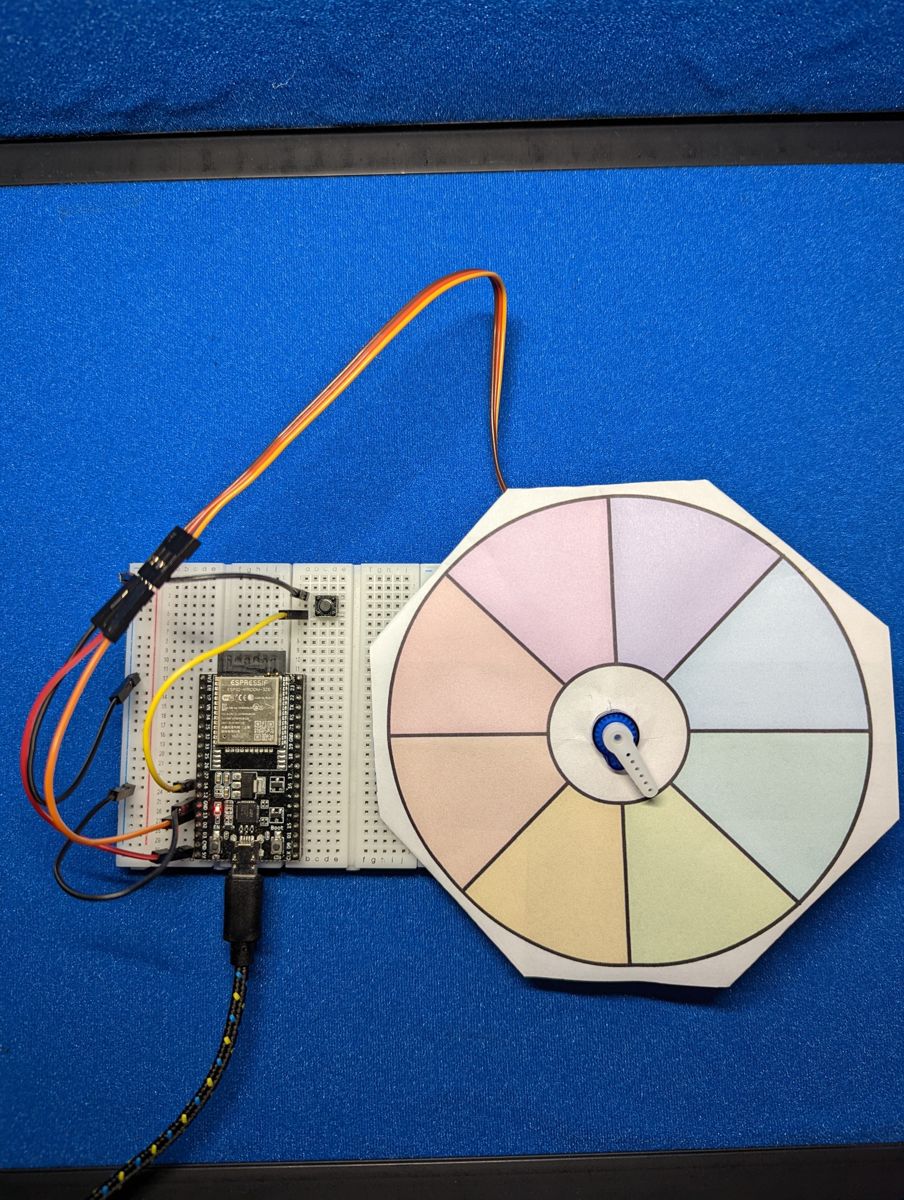
Photos from the first edition. Follow the wiring table for pin numbers.
Got a continuous-rotation servo?
A continuous-rotation (360°) servo, such as the FS90R, spins round
and round instead of turning to an angle. With one of those you can
use the first edition's
full-circle wheel instead.
Set a pulse width a little away from 1.5 ms to spin (for example
servo.duty_ns(1_300_000)), wait a random 2–6 seconds, then stop the
servo with servo.duty_ns(1_500_000).

Make it your own
- Show it on screen: add the OLED and display the fortune in text when the pointer lands.
- Drum roll: play a rising tone on the buzzer during the spin and a "ta-da!" when it lands.
- Weighted fortunes: make some answers more likely than others by
listing them twice in
FORTUNES(you'll need more slices on your wheel!).