RGB LEDs
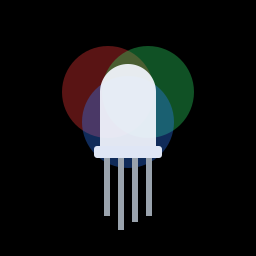
An RGB LED is really three LEDs in one: a red, a green and a blue one, squeezed into the same plastic dome. Turn them on in different amounts and they blend together into any colour you like, which is exactly how the pixels on your phone screen work.
You'll need:
- 1 × RGB LED, 5 mm, common cathode
- 3 × 220 Ω resistors
- 4 × jumper wires
Hardware
An RGB LED has four legs. The longest one is shared by all three colours. On a common cathode LED it's the negative leg, and it goes to GND. The other three legs are the red, green and blue anodes. Each one needs its own resistor, just like a normal LED.
Hold the LED with the longest leg second from the left, and the legs are usually in this order:
| Leg | Colour | Connect to |
|---|---|---|
| 1 (short) | Red | 220 Ω resistor → GPIO 16 |
| 2 (longest) | Common cathode (–) | GND |
| 3 | Green | 220 Ω resistor → GPIO 17 |
| 4 | Blue | 220 Ω resistor → GPIO 18 |
Common anode LEDs
Some RGB LEDs are common anode: the long leg is positive. Connect it
to 3V3 instead of GND. Everything in this lesson still works, but
backwards: a colour lights up when its pin is off. In the PWM
examples, use 65535 - duty instead of duty to flip it back.
If a colour looks wrong (say, blue lights up when you asked for green), your LED's legs are in a different order. Swap the wires or change the pin numbers in the code.
Software
Mixing with on and off
Start simple: switch each colour fully on or off. Two colours together make a mixed one:
# Cycle an RGB LED through red, green, blue and some mixed colours
import time
from machine import Pin

red = Pin(16, Pin.OUT)
green = Pin(17, Pin.OUT)
blue = Pin(18, Pin.OUT)


def show(r, g, b):
    # each argument is 1 (on) or 0 (off)
    red.value(r)
    green.value(g)
    blue.value(b)


COLOURS = [
    ("red", 1, 0, 0),
    ("green", 0, 1, 0),
    ("blue", 0, 0, 1),
    ("yellow", 1, 1, 0),
    ("cyan", 0, 1, 1),
    ("magenta", 1, 0, 1),
    ("white", 1, 1, 1),
]

while True:
    for name, r, g, b in COLOURS:
        print(name)
        show(r, g, b)
        time.sleep(1)
show(r, g, b)is a small helper function that sets all three pins at once, so the loop stays tidy.COLOURSis a list of tuples: each item bundles a name with three on/off values.for name, r, g, b in COLOURS:unpacks them one at a time.- Red + green = yellow, green + blue = cyan, red + blue = magenta, and all three = (roughly) white.
Mixing any colour with PWM
On and off gives you just seven colours. To get the millions in between, dim each colour using PWM, the same trick as the dimmer switch in the Potentiometers challenge:
# Mix any colour on an RGB LED using PWM
import time
from machine import PWM, Pin

red = PWM(Pin(16), freq=1000, duty_u16=0)
green = PWM(Pin(17), freq=1000, duty_u16=0)
blue = PWM(Pin(18), freq=1000, duty_u16=0)


def set_colour(r, g, b):
    # r, g and b go from 0 (off) to 255 (full brightness),
    # the same way colours are written on web pages
    red.duty_u16(r * 257)      # 255 * 257 = 65535, the maximum duty
    green.duty_u16(g * 257)
    blue.duty_u16(b * 257)


set_colour(255, 80, 0)     # orange
time.sleep(2)
set_colour(120, 0, 255)    # purple
time.sleep(2)
set_colour(0, 0, 0)        # off
PWM(Pin(16), freq=1000, duty_u16=0)switches the pin on and off 1000 times a second, much too fast for your eye to see flicker.set_colour()takes each colour as 0–255, the same scale colour pickers and web pages use. Multiplying by 257 stretches that to PWM's 0–65535 range.
Try it in the Shell: after running the file, type set_colour(0, 255, 100)
and see what you get. Search for "colour picker" online, pick a colour, and
type its RGB numbers in.
Colours won't match your screen exactly
The green and blue parts of the LED are usually brighter than the red, and the colours don't blend perfectly in the dome. A paper or ping-pong-ball diffuser over the LED helps the colours mix.
Fading around the colour wheel
# Fade smoothly around the colour wheel: red -> green -> blue -> red
import time
from machine import PWM, Pin

red = PWM(Pin(16), freq=1000, duty_u16=0)
green = PWM(Pin(17), freq=1000, duty_u16=0)
blue = PWM(Pin(18), freq=1000, duty_u16=0)


def set_colour(r, g, b):
    red.duty_u16(r * 257)
    green.duty_u16(g * 257)
    blue.duty_u16(b * 257)


while True:
    for step in range(256):         # red fades out, green fades in
        set_colour(255 - step, step, 0)
        time.sleep_ms(8)
    for step in range(256):         # green fades out, blue fades in
        set_colour(0, 255 - step, step)
        time.sleep_ms(8)
    for step in range(256):         # blue fades out, red fades in
        set_colour(step, 0, 255 - step)
        time.sleep_ms(8)
Each for loop cross-fades from one colour to the next: as step counts up
from 0 to 255, one colour gets dimmer while the next gets brighter.
Challenge
Use the potentiometer on GPIO 34 to choose the colour: turning the knob should slide smoothly from red, through green, to blue.
Show a hint
Scale the potentiometer's 0–65535 reading down to 0–510. For the first
half (0–255), fade red → green like the first loop of rgb_fade.py. For
the second half (256–510), subtract 255 and fade green → blue.
Next up: Light Sensors: give your projects eyes that can tell day from night.