Line Follower
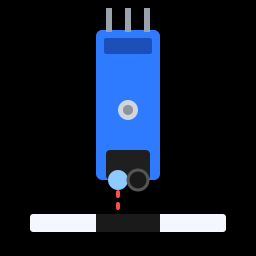
Line following is a classic robotics challenge. There are whole competitions for it! Lay down a track of black tape, and your robot will steer itself around it using the two line sensors underneath. Factories use the same idea to guide robots that carry parts around warehouses.
You'll need:
- Your robot, with both line sensors mounted underneath at the front
- Black electrical tape (about 2 cm wide)
- A light-coloured floor, or a big sheet of white poster board
- 1 × push button (Button A) to start and stop it
-
robot.pyandbutton.pysaved on the ESP32
Make a track
- Use black electrical tape on a light, smooth surface: white poster board, light wooden floor, or pale lino. Carpet doesn't work well.
- Start with a simple oval, then get more adventurous.
- Keep curves gentle. Tight corners are the hardest part for a two-sensor robot.
- For tight curves, lay the tape in several short overlapping strips instead of trying to bend one long piece.
- Make it a loop, so the robot can keep going round and round.
Check your sensors first
Run line_sensor_read.py from the Line Sensors
lesson with the robot sitting on your track. When the tape runs between
the two sensors, both should say floor. Move the robot sideways, and
each sensor should say LINE as it passes over the tape. Adjust the
sensors' potentiometers if not.
How to follow a line
The two sensors sit either side of the tape. As the robot drives, there are four possibilities:
| Left sensor | Right sensor | What it means | What to do |
|---|---|---|---|
| floor | floor | The line is between the sensors | Drive straight |
| LINE | floor | The line has drifted to the left | Turn left |
| floor | LINE | The line has drifted to the right | Turn right |
| LINE | LINE | Crossing a junction (or a finish line) | Drive straight |
The robot never drives perfectly straight along the line. It constantly wiggles, correcting a little left, a little right. That's called bang-bang control, because the steering is always fully one way or fully the other, with nothing in between.
Code
Save this to the ESP32 as main.py. Put the robot on the track with the
tape between the sensors, and press Button A.
# Line Follower: steer along a black tape line with two sensors.
# Press Button A to start and stop.
import time
from machine import Pin
from robot import Robot
from button import Button

LEFT_SENSOR_PIN = 34
RIGHT_SENSOR_PIN = 35
BUTTON_PIN = 14
LINE_IS = 1          # sensor value over the black line (0 on some modules)

SPEED = 45           # straight-ahead speed
TURN_FAST = 50       # outside wheel while turning
TURN_SLOW = -30      # inside wheel while turning (negative = backwards)

robot = Robot()
button = Button(BUTTON_PIN)
left_sensor = Pin(LEFT_SENSOR_PIN, Pin.IN)
right_sensor = Pin(RIGHT_SENSOR_PIN, Pin.IN)

running = False
print("Put the robot on the line, then press Button A")

while True:
    if button.was_pressed():
        running = not running
        print("Go!" if running else "Stopped")
        if not running:
            robot.stop()

    if not running:
        time.sleep_ms(10)
        continue

    left_on_line = left_sensor.value() == LINE_IS
    right_on_line = right_sensor.value() == LINE_IS

    if left_on_line and not right_on_line:
        robot.drive(TURN_SLOW, TURN_FAST)    # line is drifting left: turn left
    elif right_on_line and not left_on_line:
        robot.drive(TURN_FAST, TURN_SLOW)    # line is drifting right: turn right
    else:
        robot.forward(SPEED)   # line between the sensors (or a crossing)

    time.sleep_ms(5)
How it works
The main loop is almost exactly the table above, written in Python. The interesting part is how it turns:
Instead of spinning on the spot, the robot keeps moving while it turns. The
outside wheel goes forwards (TURN_FAST) and the inside wheel goes slowly
backwards (TURN_SLOW = -30). A backwards inside wheel gives a tight,
snappy turn, which helps on curves.
Tuning
Line following is all about tuning. Change one number at a time:
| Problem | Try |
|---|---|
| Robot shoots off the track on curves | Lower SPEED, or make TURN_SLOW more negative for sharper turns |
| Robot wobbles wildly on straight bits | Make TURN_SLOW closer to 0, for gentler corrections |
| Robot turns the wrong way | Swap the left and right sensor wires, or check LINE_IS |
| Robot doesn't react at all | Check the sensors are 5–10 mm above the track, and re-run the sensor test |
Challenge: don't get lost
On a sharp corner, the line can slip right past a sensor and out the other side before the robot reacts. Now both sensors see floor, so the robot thinks everything is fine and drives straight off the track!
Can you make the robot remember which way it was last turning, and if it sees nothing but floor for more than a moment, keep turning that way until it finds the line again?
Show a solution
# Line Follower with memory: if the robot loses the line completely,
# it keeps turning the way it was last turning until it finds it again.
import time
from machine import Pin
from robot import Robot
from button import Button

LEFT_SENSOR_PIN = 34
RIGHT_SENSOR_PIN = 35
BUTTON_PIN = 14
LINE_IS = 1

SPEED = 45
TURN_FAST = 50
TURN_SLOW = -30
LOST_MS = 150    # both sensors off the line for this long = lost

robot = Robot()
button = Button(BUTTON_PIN)
left_sensor = Pin(LEFT_SENSOR_PIN, Pin.IN)
right_sensor = Pin(RIGHT_SENSOR_PIN, Pin.IN)

running = False
last_turn = None                    # "left", "right" or None
last_seen_line = time.ticks_ms()

while True:
    if button.was_pressed():
        running = not running
        last_seen_line = time.ticks_ms()
        if not running:
            robot.stop()

    if not running:
        time.sleep_ms(10)
        continue

    left_on_line = left_sensor.value() == LINE_IS
    right_on_line = right_sensor.value() == LINE_IS
    now = time.ticks_ms()

    if left_on_line or right_on_line:
        last_seen_line = now

    if left_on_line and not right_on_line:
        robot.drive(TURN_SLOW, TURN_FAST)
        last_turn = "left"
    elif right_on_line and not left_on_line:
        robot.drive(TURN_FAST, TURN_SLOW)
        last_turn = "right"
    elif (not left_on_line and time.ticks_diff(now, last_seen_line) > LOST_MS
          and last_turn is not None):
        # lost: search in the direction the line was last heading
        if last_turn == "left":
            robot.spin_left(45)
        else:
            robot.spin_right(45)
    else:
        robot.forward(SPEED)

    time.sleep_ms(5)
last_turnremembers the last correction,"left"or"right".last_seen_linerecords when a sensor last saw the line.- If both sensors have seen only floor for longer than
LOST_MS, the robot spins towardslast_turnto search for the line.
A short time limit matters: on a straight section, both sensors should see floor, and we don't want the robot to start searching then.
Where next?
- More sensors: robots in line-following competitions use arrays of 5 or more sensors, so they know not just which side the line is on but how far off-centre they are.
- Proportional control: once you know how far off-centre you are, you can steer a little for small errors and a lot for big ones, instead of bang-bang. That's the "P" in PID control, the technique used everywhere from drones to cruise control. Search for "PID line follower" when you're ready for the next step.
- Race it: time a lap, then tune for speed. Have a competition with a friend's robot!
- Obstacles on the track: combine this with the Obstacle Avoider so the robot stops if something blocks the line.
Next up: take the controls yourself. Wi-Fi Remote Control.