Project: Snake Game
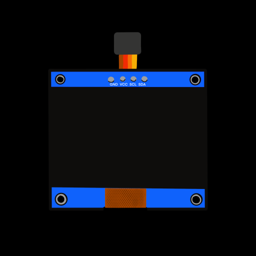
Recreate the classic arcade game on your OLED screen! Steer the snake with two buttons, eat the apples to grow longer, and try not to crash into the walls or your own tail. It speeds up as your score goes up.
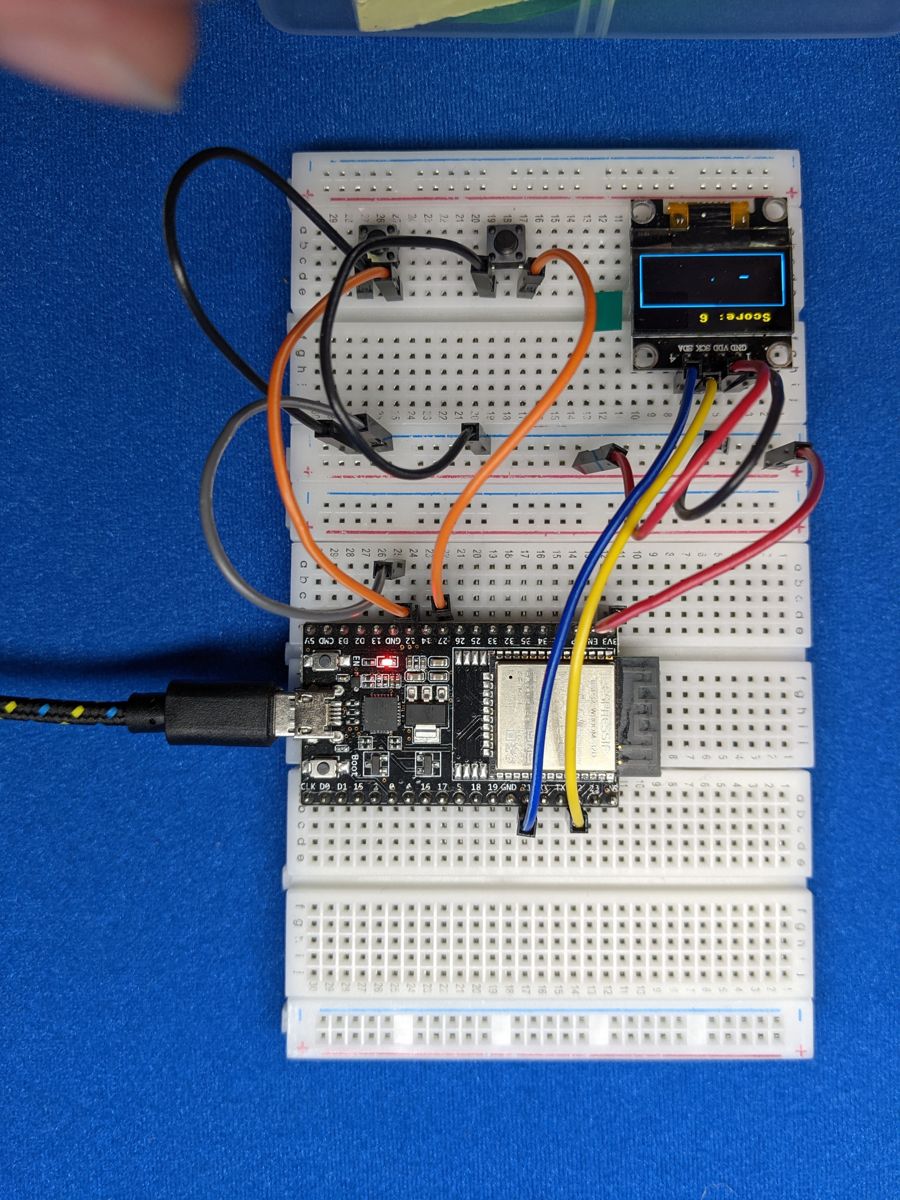
Photo from the first edition. Follow the wiring table for pin numbers.
Objective
- Button A turns the snake 90° to its left.
- Button B turns the snake 90° to its right.
- Each apple you eat makes the snake one square longer and adds a point.
- Hitting a wall or the snake's own body ends the game.
The turns are relative to the way the snake is heading, not fixed up/down/left/right. So if the snake is heading down the screen, "left" sends it to your right. It takes a minute to get used to. That's part of the fun!
You'll need:
- 1 × SSD1306 OLED screen (128 × 64, I2C)
- 2 × push buttons
- Jumper wires
Before you start
This project builds on OLED Screens and
Buttons. Make sure button.py and
ssd1306.py are saved on your ESP32 (see
Saving Programs to the Board).
Wiring
| Part | Pin | Connects to |
|---|---|---|
| OLED | GND | GND |
| VCC | 3V3 | |
| SCL | GPIO 22 | |
| SDA | GPIO 21 | |
| Button A (turn left) | one leg | GPIO 14, other leg to GND |
| Button B (turn right) | one leg | GPIO 25, other leg to GND |
Tip
Put Button A on the left and Button B on the right of your breadboard. Your fingers will thank you.
Plan it out
A game is just a loop that does three things over and over: read input, update the game, draw the screen.
- Set up the components and the game world. The screen is split into a 16-pixel score bar and a play area. The play area is a grid of 4 × 4 pixel squares, 32 across and 12 down. The snake is a list of the squares it covers.
- Break the job into functions.
new_game()resets the snake, score and speed.place_apple()picks a random empty square.check_buttons()turns the snake.move_snake()moves the head forward one square, checks for crashes and apples, and removes the tail unless the snake just ate.draw_game()andshow_message()draw everything.
- Main loop: show a start screen, run the game until you crash, show your score, and repeat.
Code
Save this to your ESP32 as main.py, or click Run in Thonny.
# Snake! Eat the apples, don't hit the walls or your own tail.
# Button A turns the snake left, Button B turns it right.
import time
import random
from machine import Pin, I2C
import ssd1306
from button import Button

TURN_LEFT_PIN = 14    # Button A
TURN_RIGHT_PIN = 25   # Button B
SDA_PIN = 21
SCL_PIN = 22

CELL = 4                   # each square of the snake is 4x4 pixels
HEADER = 16                # the score bar takes up the top 16 pixels
COLS = 128 // CELL         # 32 squares across
ROWS = (64 - HEADER) // CELL   # 12 squares down
START_SPEED_MS = 250       # time between moves at the start
FASTEST_SPEED_MS = 80      # it never gets faster than this

# Directions as (column change, row change). Rows count DOWN the screen.
# They're listed clockwise, so turning right = next in the list,
# and turning left = previous in the list.
DIRECTIONS = [(0, -1), (1, 0), (0, 1), (-1, 0)]   # up, right, down, left

left_button = Button(TURN_LEFT_PIN)
right_button = Button(TURN_RIGHT_PIN)
i2c = I2C(0, scl=Pin(SCL_PIN), sda=Pin(SDA_PIN))
display = ssd1306.SSD1306_I2C(128, 64, i2c)

# ---- game state (set up properly by new_game) ----
snake = []        # list of (col, row) squares; the head is the LAST one
heading = 0       # index into DIRECTIONS
turned = False    # only one turn per move, so you can't reverse into yourself
apple = (0, 0)
score = 0
speed_ms = START_SPEED_MS


def new_game():
    global snake, heading, turned, score, speed_ms
    middle = (COLS // 2, ROWS // 2)
    snake = [(middle[0], middle[1] + 1), middle]   # 2 squares, facing up
    heading = 0
    turned = False
    score = 0
    speed_ms = START_SPEED_MS
    place_apple()


def place_apple():
    # keep picking random squares until we find one the snake isn't on
    global apple
    while True:
        spot = (random.randint(0, COLS - 1), random.randint(0, ROWS - 1))
        if spot not in snake:
            apple = spot
            return


def check_buttons():
    global heading, turned
    if turned:
        return
    if left_button.was_pressed():
        heading = (heading - 1) % 4
        turned = True
    elif right_button.was_pressed():
        heading = (heading + 1) % 4
        turned = True


def move_snake():
    # returns False if the snake crashed
    global score, speed_ms, turned
    turned = False
    head_col, head_row = snake[-1]
    step_col, step_row = DIRECTIONS[heading]
    new_head = (head_col + step_col, head_row + step_row)

    hit_wall = not (0 <= new_head[0] < COLS and 0 <= new_head[1] < ROWS)
    # the tail moves out of the way this turn, so it doesn't count
    hit_self = new_head in snake[1:]
    if hit_wall or hit_self:
        return False

    snake.append(new_head)
    if new_head == apple:
        score += 1
        speed_ms = max(FASTEST_SPEED_MS, speed_ms - 10)   # speed up a bit
        place_apple()            # grow: we don't remove the tail
    else:
        snake.pop(0)             # same length: remove the tail
    return True


def draw_square(col, row):
    display.fill_rect(col * CELL, HEADER + row * CELL, CELL, CELL, 1)


def draw_game():
    display.fill(0)
    display.text("Score: " + str(score), 0, 4, 1)
    display.rect(0, HEADER - 1, 128, 1, 1)          # line under the score
    for col, row in snake:
        draw_square(col, row)
    # draw the apple as a hollow square so it stands out from the snake
    display.rect(apple[0] * CELL, HEADER + apple[1] * CELL, CELL, CELL, 1)
    display.show()


def show_message(line1, line2):
    display.fill_rect(8, 24, 112, 32, 0)
    display.rect(8, 24, 112, 32, 1)
    display.text(line1, 64 - len(line1) * 4, 30, 1)   # each letter is 8 px
    display.text(line2, 64 - len(line2) * 4, 42, 1)
    display.show()


def wait_for_button():
    while not (left_button.was_pressed() or right_button.was_pressed()):
        time.sleep_ms(10)


# ---- main loop ----
while True:
    new_game()
    draw_game()
    show_message("Snake!", "Press a button")
    wait_for_button()

    last_move = time.ticks_ms()
    alive = True
    while alive:
        check_buttons()          # checked every loop, so no press is missed
        if time.ticks_diff(time.ticks_ms(), last_move) >= speed_ms:
            last_move = time.ticks_ms()
            alive = move_snake()
            if alive:
                draw_game()
        time.sleep_ms(5)

    show_message("Game over!", "Score: " + str(score))
    time.sleep(2)
How it works
The snake is a list
snake holds (column, row) pairs, with the head at the end of the
list. Moving is a neat trick: add a new head in front with append(), then
chop off the tail with pop(0). The snake slides forward one square.
When it eats an apple, the code simply skips removing the tail, so the
snake grows by one.
Turning with a list of directions
Each direction is how much the column and row change per move. They're in
clockwise order, so turning right just means moving to the next item in
the list, and turning left means going back one. The % 4 wraps around the
ends: from "left" (3), turning right gives (3 + 1) % 4 = 0, which is "up".
The code only allows one turn per move. Otherwise, two quick taps could spin the snake straight back into its own neck.
Timing without sleep()
If the loop slept for the whole time between moves, button presses during
that time could be missed. Instead, the loop runs quickly and checks the
buttons every time around. It only moves the snake once speed_ms
milliseconds have passed since the last move:
Each apple knocks 10 ms off speed_ms, down to a limit of 80 ms, so the
game gets faster as you get better.
Result
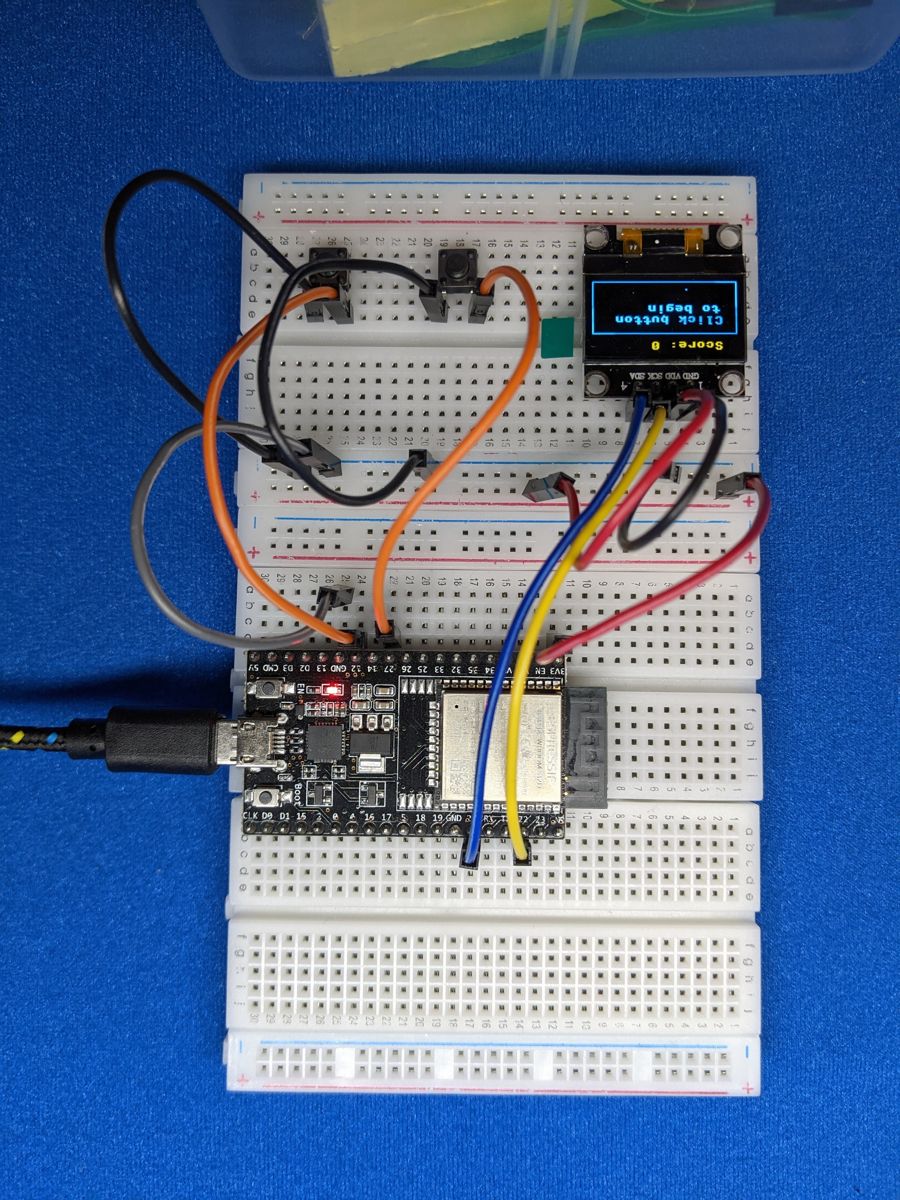
Photos from the first edition. Follow the wiring table for pin numbers.
Make it your own
- High score: keep the best score in a variable and show it on the game-over screen. For a real challenge, save it to a file so it survives a restart.
- Sound effects: add the buzzer on GPIO 26 and play a quick beep when you eat an apple, and a sad low tone when you crash.
- Wrap-around walls: instead of crashing into a wall, make the snake
come out the opposite side (hint:
%again!). - Four-button controls: add Buttons C and D for fixed up/down/left/right controls instead of relative turns.